And who watches the cameras?
Some of your cameras see nothing. And you don’t know it.
In a four-thousand-camera installation, on any given Tuesday a few of them are useless: one dirty, one somebody knocked while putting up scaffolding, one frozen since Saturday. It usually comes to light the day the video is needed and isn’t there. Nobody looks at four thousand images every morning. IRIS does.
What IRIS is
IRIS watches the cameras for you.
IRIS Neural is an artificial intelligence that watches the cameras you already have and understands what happens in front of them. When something important happens —or something you told it you need to keep an eye on—, it alerts you; and whatever can be counted, it counts in numbers. All day long, without anyone having to watch a screen.
You tell it what you need to watch, and IRIS does it.
Works with the cameras you already have. Nothing to replace.
A person replies, not a form.
- Your footage never leaves your premises.
- It doesn't identify people.
- Certifications →
See it in action
What it really costs
The day you need the video it is already too late
A dirty camera bothers nobody. It doesn’t beep, it doesn’t blink, it appears in no report. It still shows as connected, it still fills its tile in the wall, it still writes to the disk. It can stay like that for three weeks and nothing happens. Until the day something does.
Then somebody asks for the video. And the video is there: it was recorded, it takes up disk, it can be exported. What isn’t there is what needed to be seen. It makes no difference whether it was an accident on the dock, an insurance report, a customer claim or a formal request you have to answer in writing: the file exists and it’s useless.
And there’s a second bill, a quieter one: every camera that can’t see is a camera that was bought, installed, cabled and is still being maintained. It’s still on the inventory, still in the contract, still in the license. The only thing it has stopped doing is the thing it was bought to do.
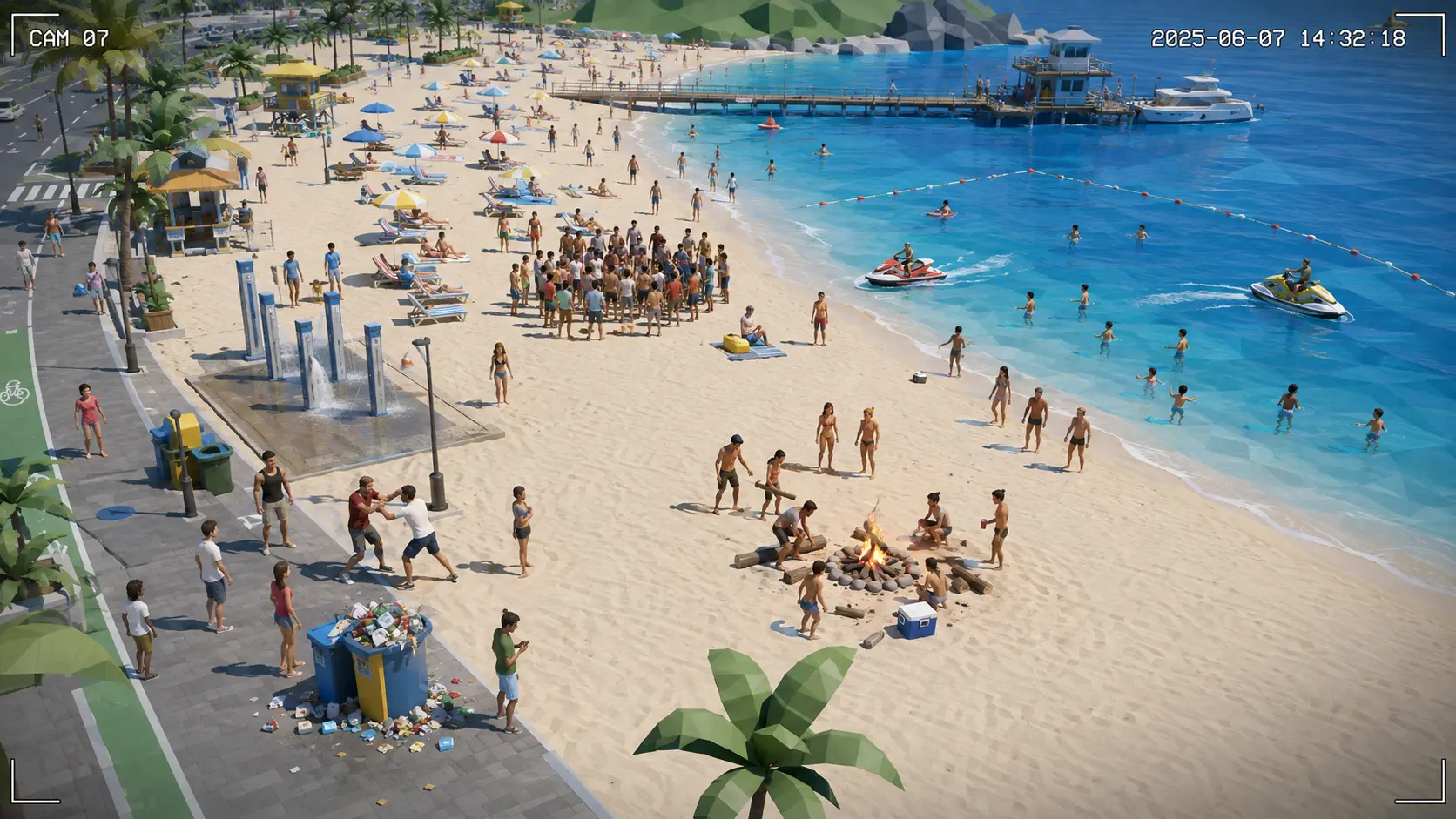
This is what a healthy camera looks like
This is the reference. Nothing that follows is a fault in the place you can see: it’s a fault in the camera looking at it. And every one of them is found by comparing against this.
How it knows
The camera doesn’t need to know it is broken
This isn’t a new box or another cable. It’s the camera you already have, looked at by the same IRIS that looks at everything else. It works in three steps, and they’re worth understanding because they explain why it works with any camera, from any manufacturer, of any age.
- 1
It remembers how it looked
On day one IRIS records how that camera looks when it’s fine: its framing, its sharpness, its color, how much light it gives at night. That’s its reference, and it belongs to that camera and no other — a camera on the loading dock and one in a lobby have nothing in common, and comparing them to each other would make no sense.
- 2
It sees it in the picture, not in the device
And this is what changes everything: IRIS asks the camera nothing and doesn’t depend on it being able to diagnose itself. It looks at the picture that arrives, the same way it would look at a person or a truck. That’s why it works exactly the same on a brand-new camera and on one from twelve years ago — and why you don’t have to replace a single one to start.
- 3
And it tells nobody until it matters
A raindrop isn’t a fault and must not sound like one. Everything carries its own threshold and its own time: the drop has to stay there a good while, the dirt has to get worse over several days, the framing has to have really changed. The urgent ones — covered, turned, no signal — alert right away. The rest wait for the morning report.
All thirty-four
What IRIS can see about a camera
Each one is a real image with the fault on it — not a screenshot, not a mock-up. They’re grouped by what causes them, not by what a technical catalog calls them: whoever lands here doesn’t know whether theirs is “optical degradation,” but they do know whether somebody touched it or something got in the way.
Somebody has touched it9
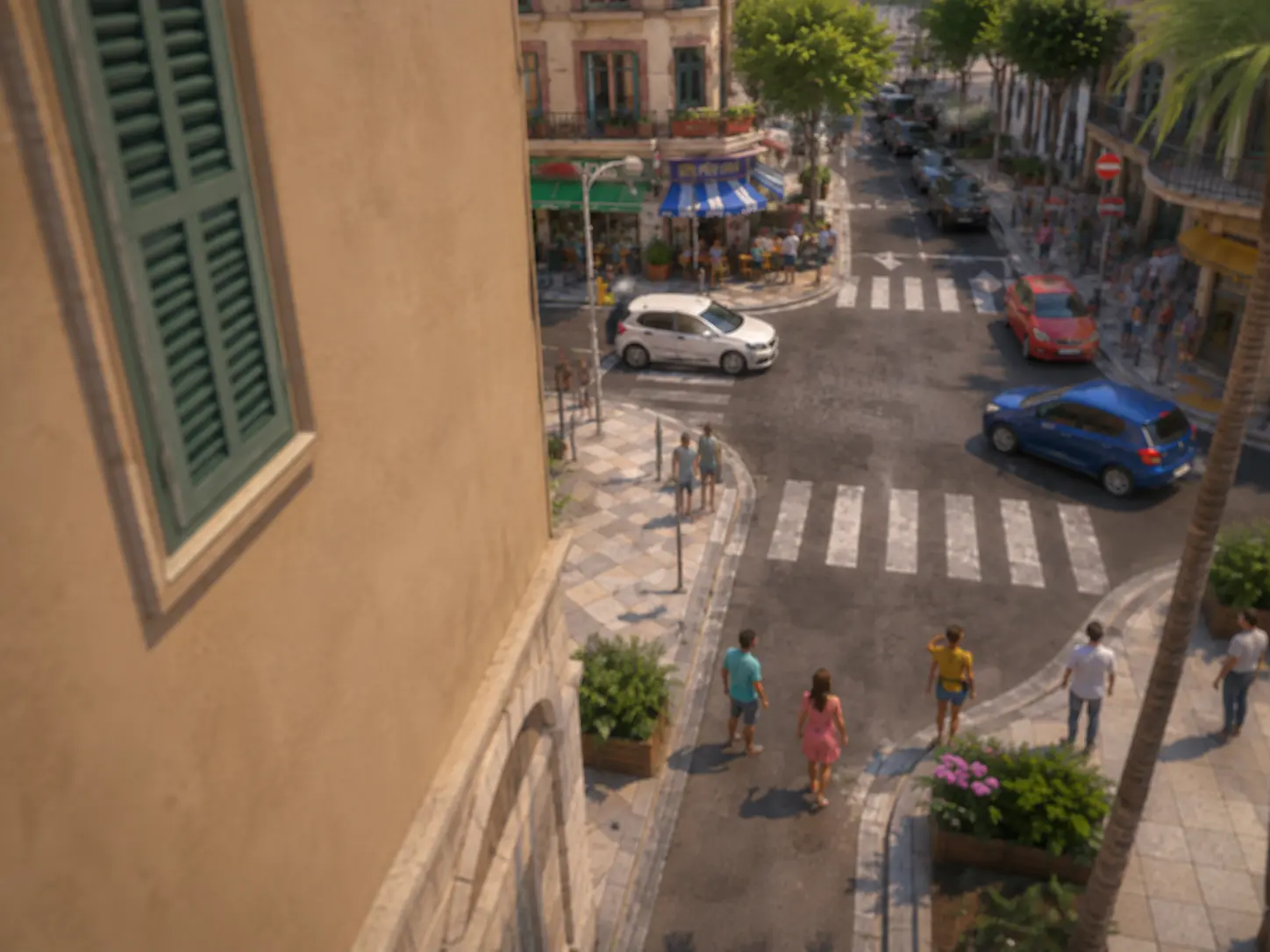
CAM-901
It has shifted
The image isn’t yesterday’s: it covers something else. Sometimes a knock, sometimes scaffolding, sometimes somebody.
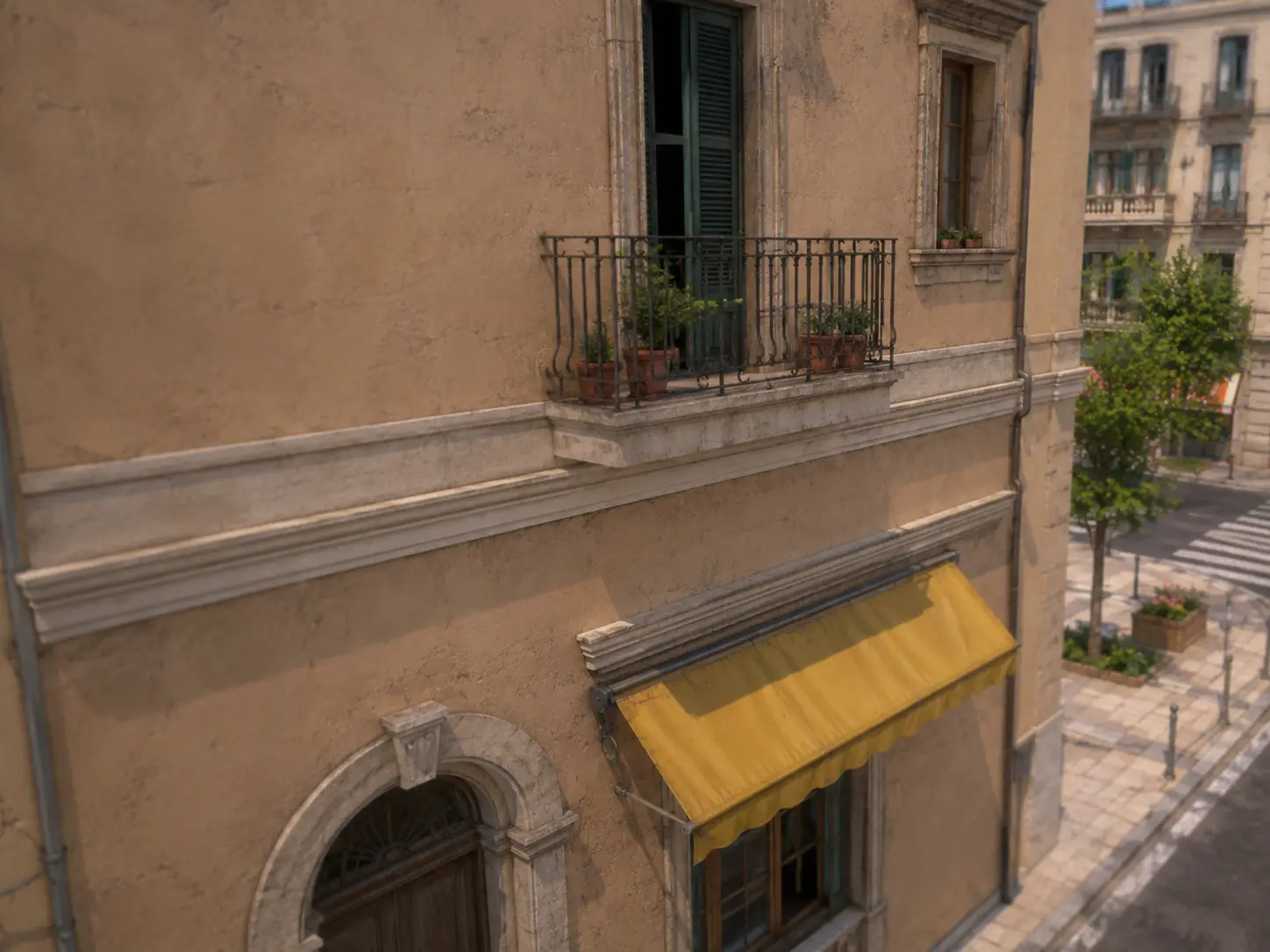
CAM-902
Pointed at the wall
Somebody has turned it to face a wall, the ceiling or the ground. It keeps recording; it no longer watches anything.
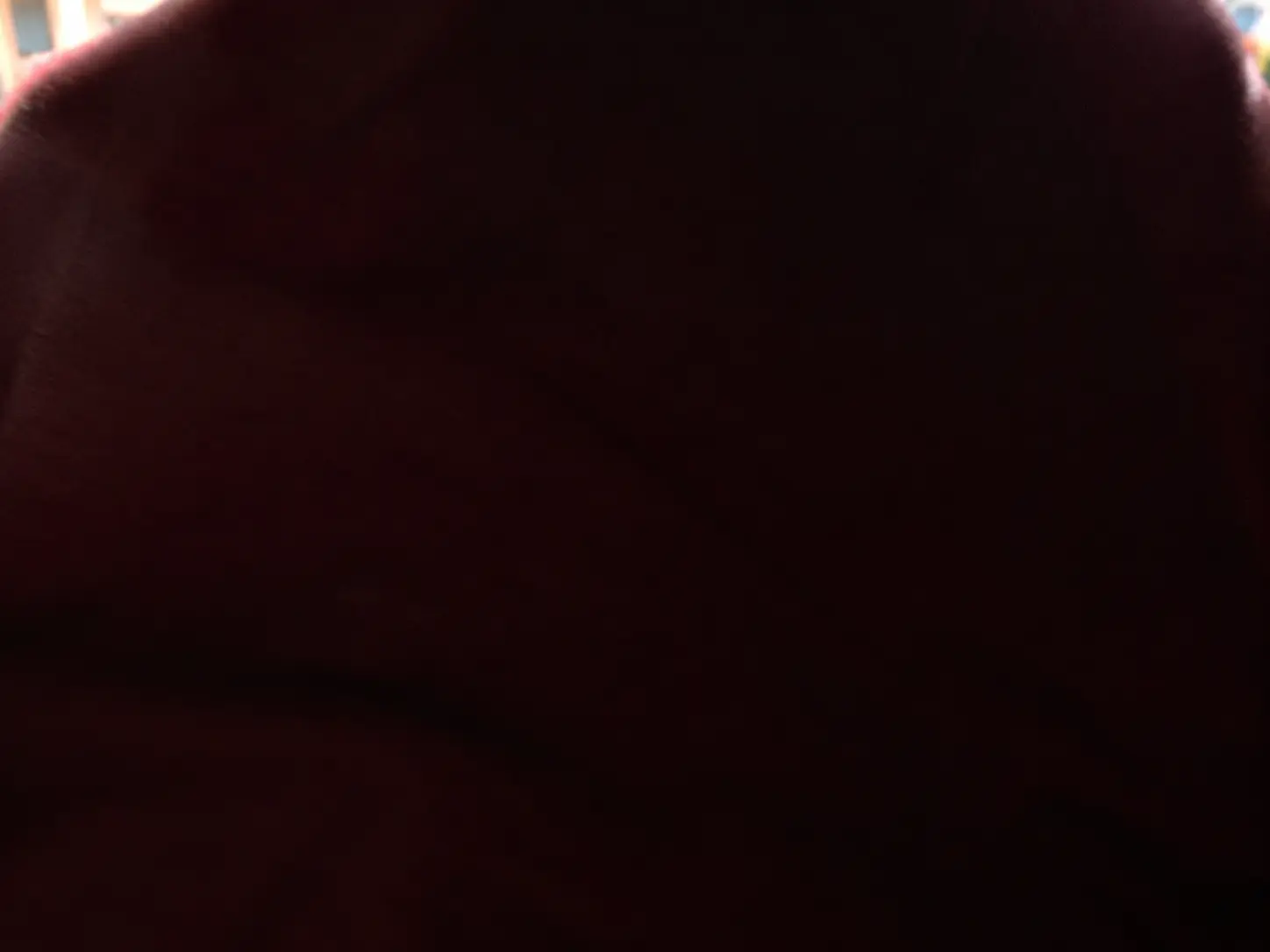
CAM-903
Fully covered
A hand, a bag, tape or cardboard over the lens. The simplest sabotage there is, and the fastest to spot.
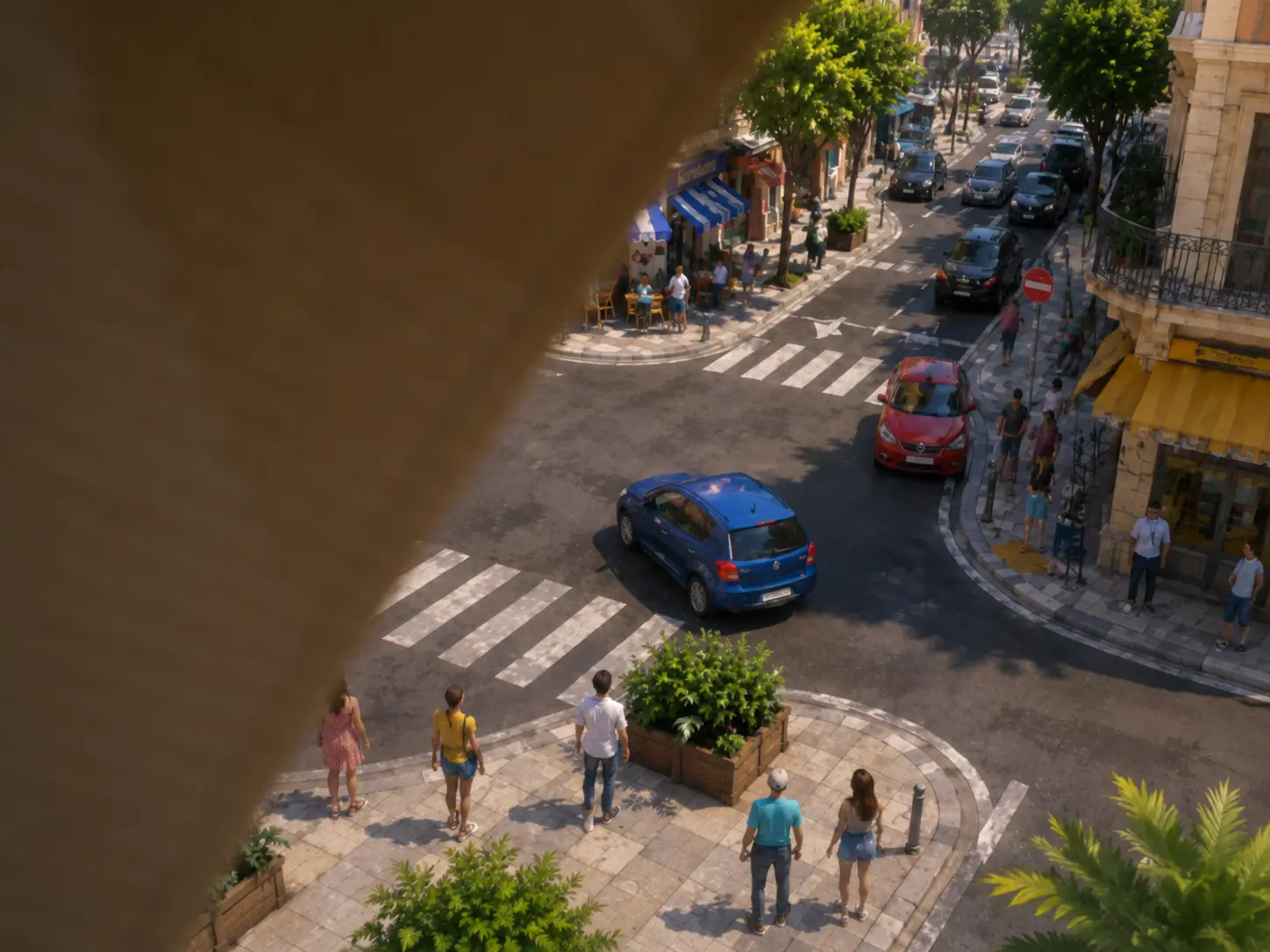
CAM-904
Covered where it matters
Only part is hidden, but it’s the part it was watching: the door, the turnstile, the register. The rest of the picture looks fine, which is why nobody notices.
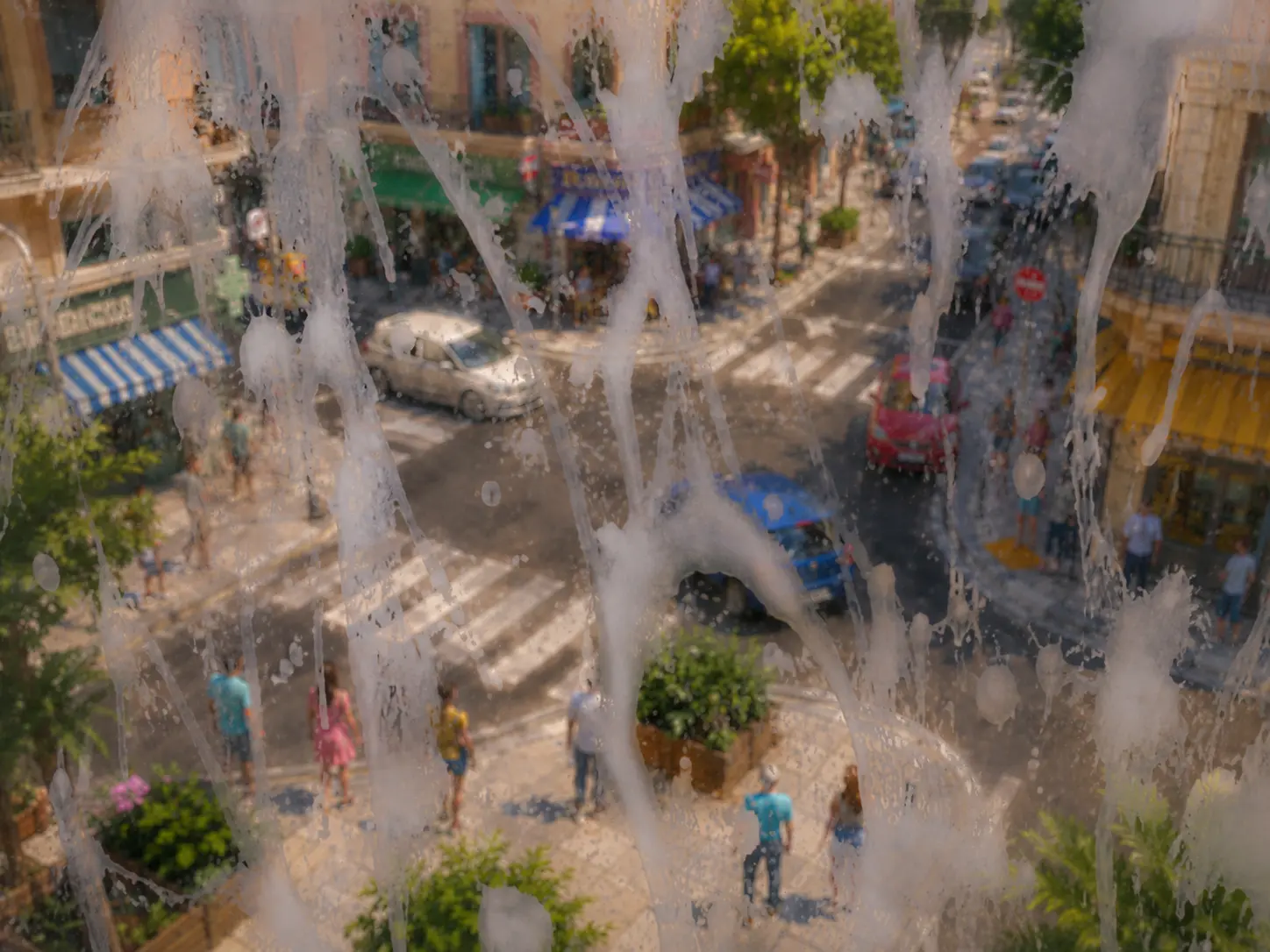
CAM-905
Paint on the dome
Spray, foam or oil applied on top. It doesn’t come off by itself and can’t be cleaned from the ground.
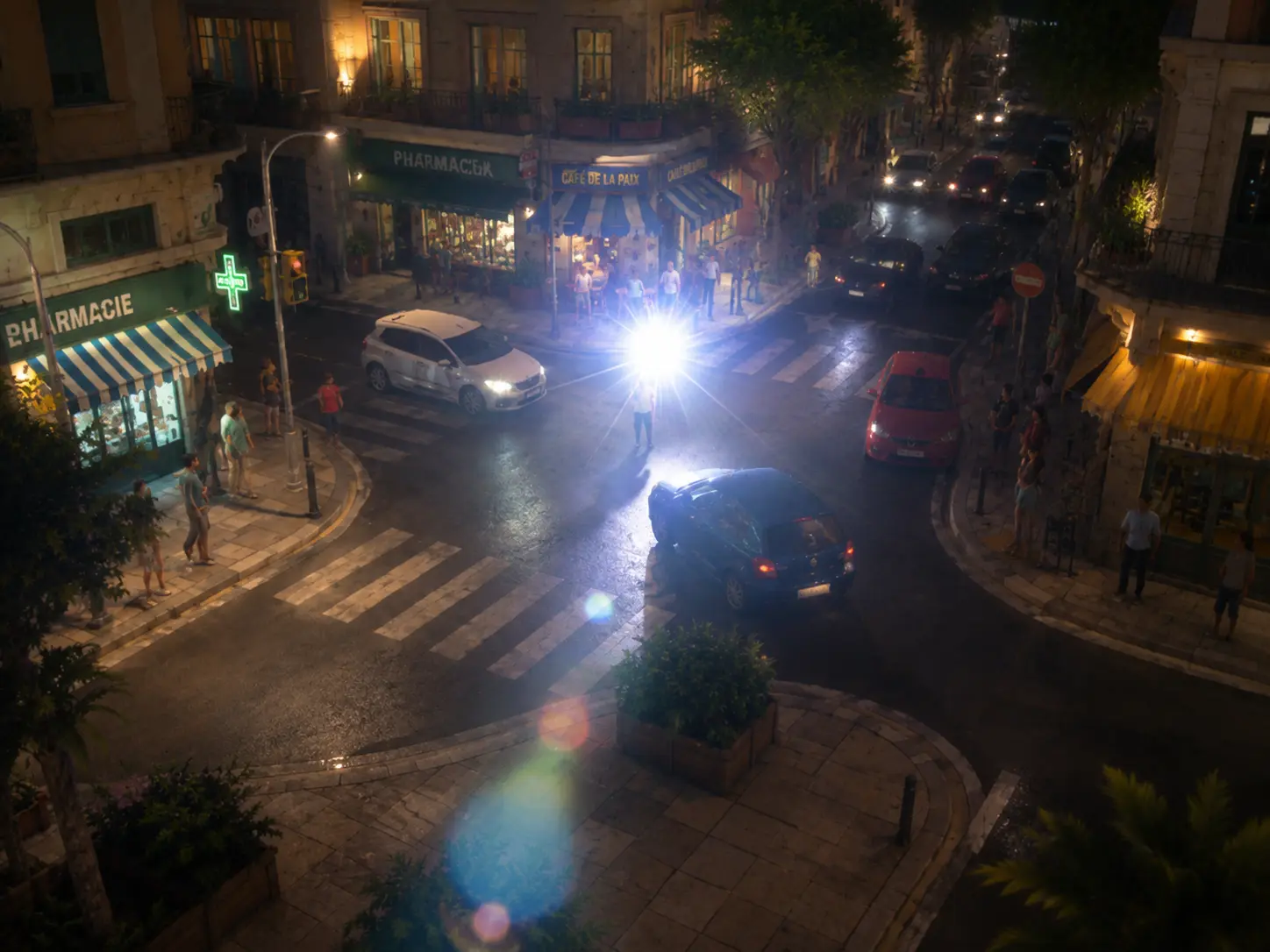
CAM-906
Blinded
A spotlight, a flashlight or a laser aimed at the lens. The camera is still alive and nothing can be seen.
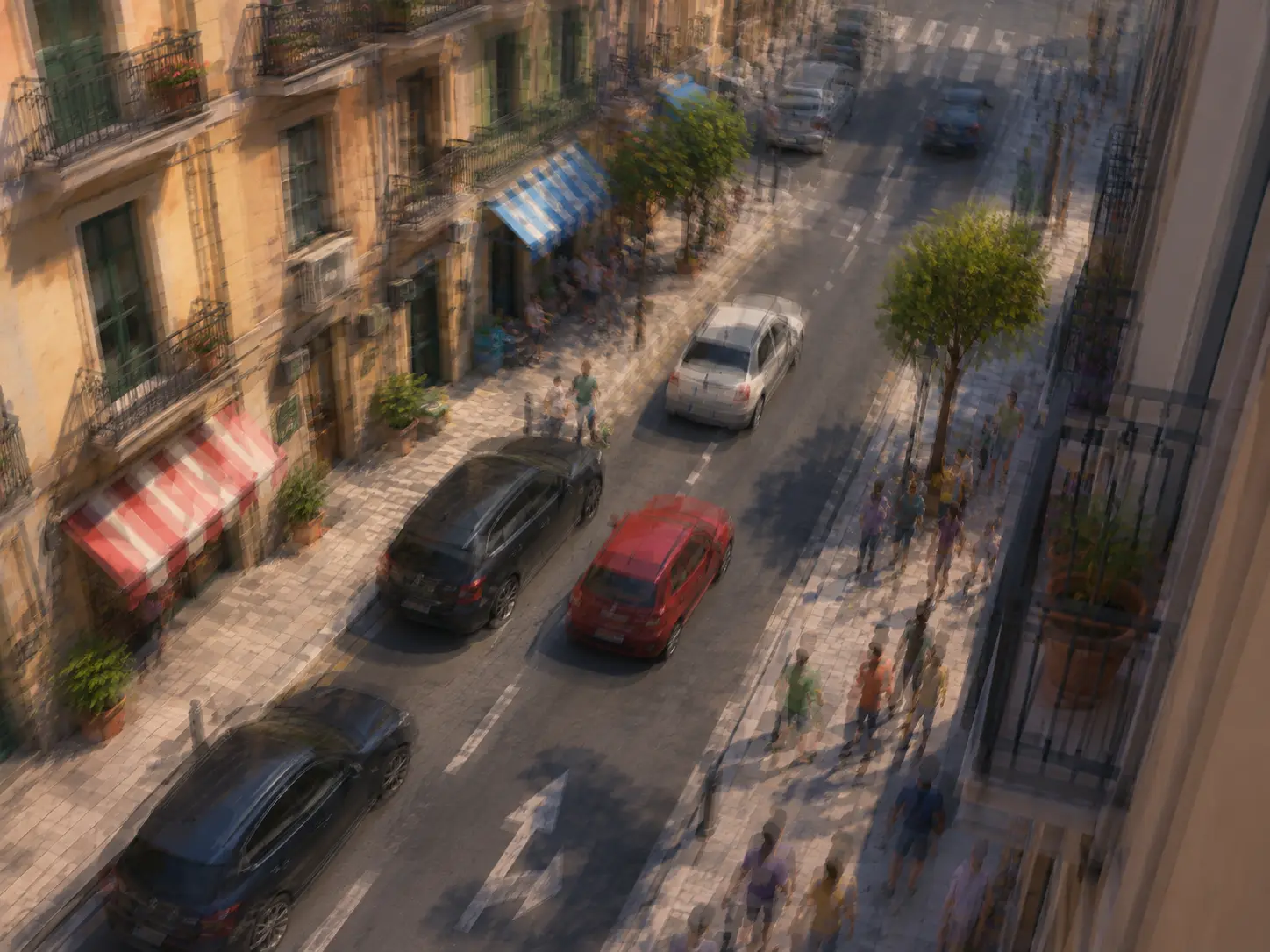
CAM-907
A knock on the mount
A sharp movement or repeated shaking. It may be an attempt to pull it off, or a mount that’s been loose for months.
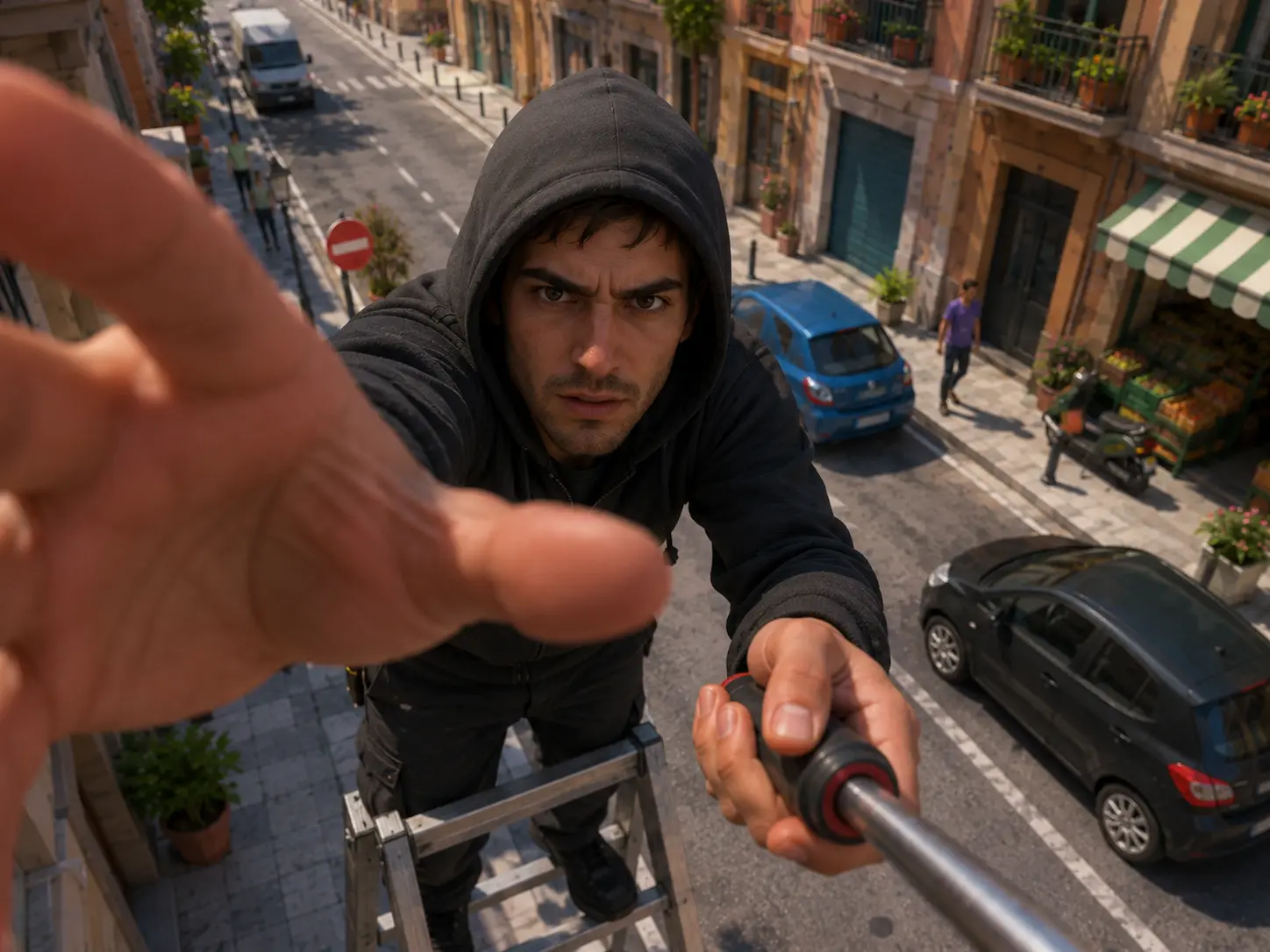
CAM-908
A hand on the lens
Somebody has reached the equipment. IRIS alerts while it’s happening, not once the camera has gone blind. What actually happened is for whoever watches the video to decide.
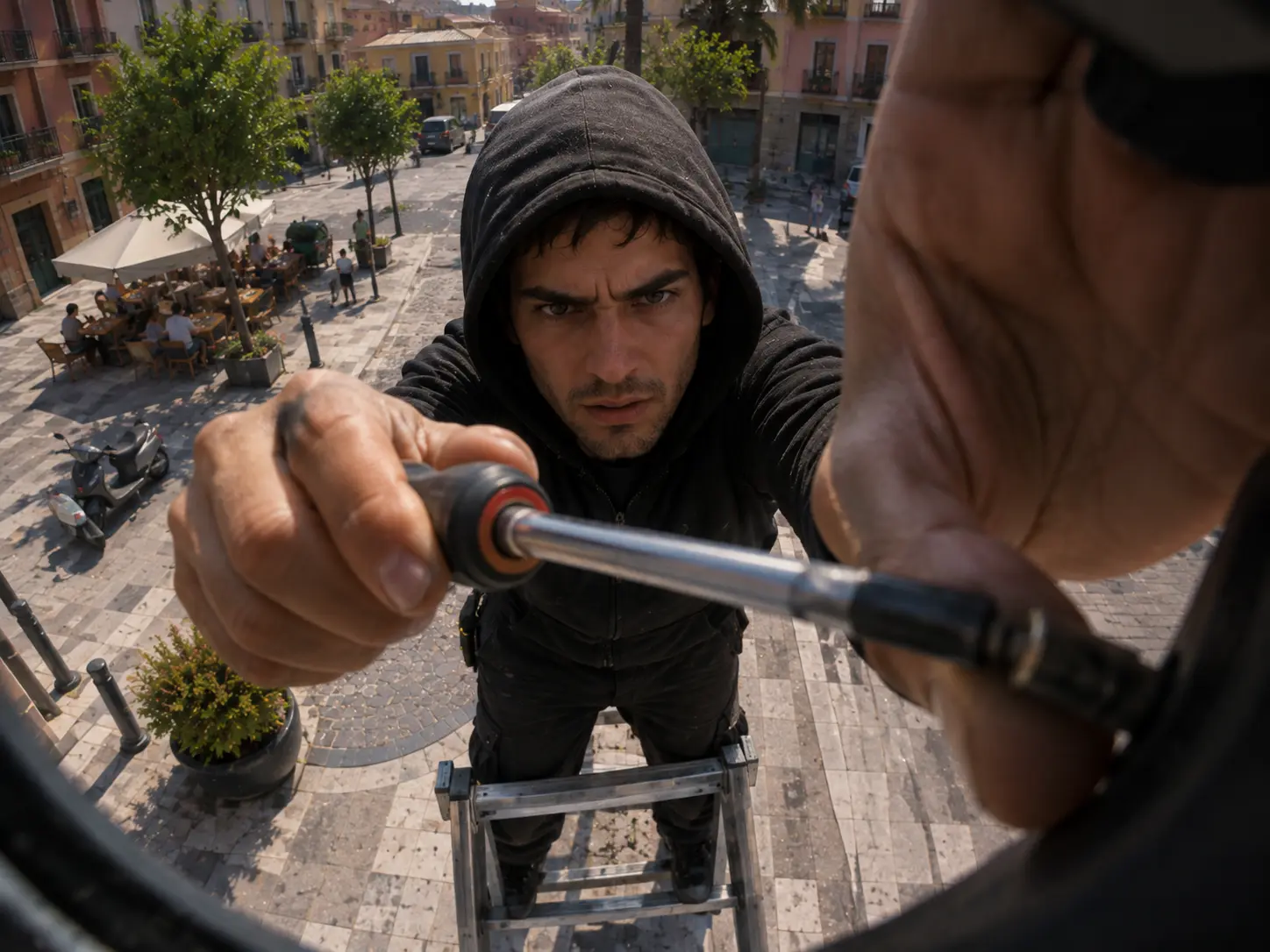
CAM-909
Being taken down
A tool in contact with the mount, the screws or the intersection box. This is the alert that arrives before the whole camera is lost.
Something has got in the way10
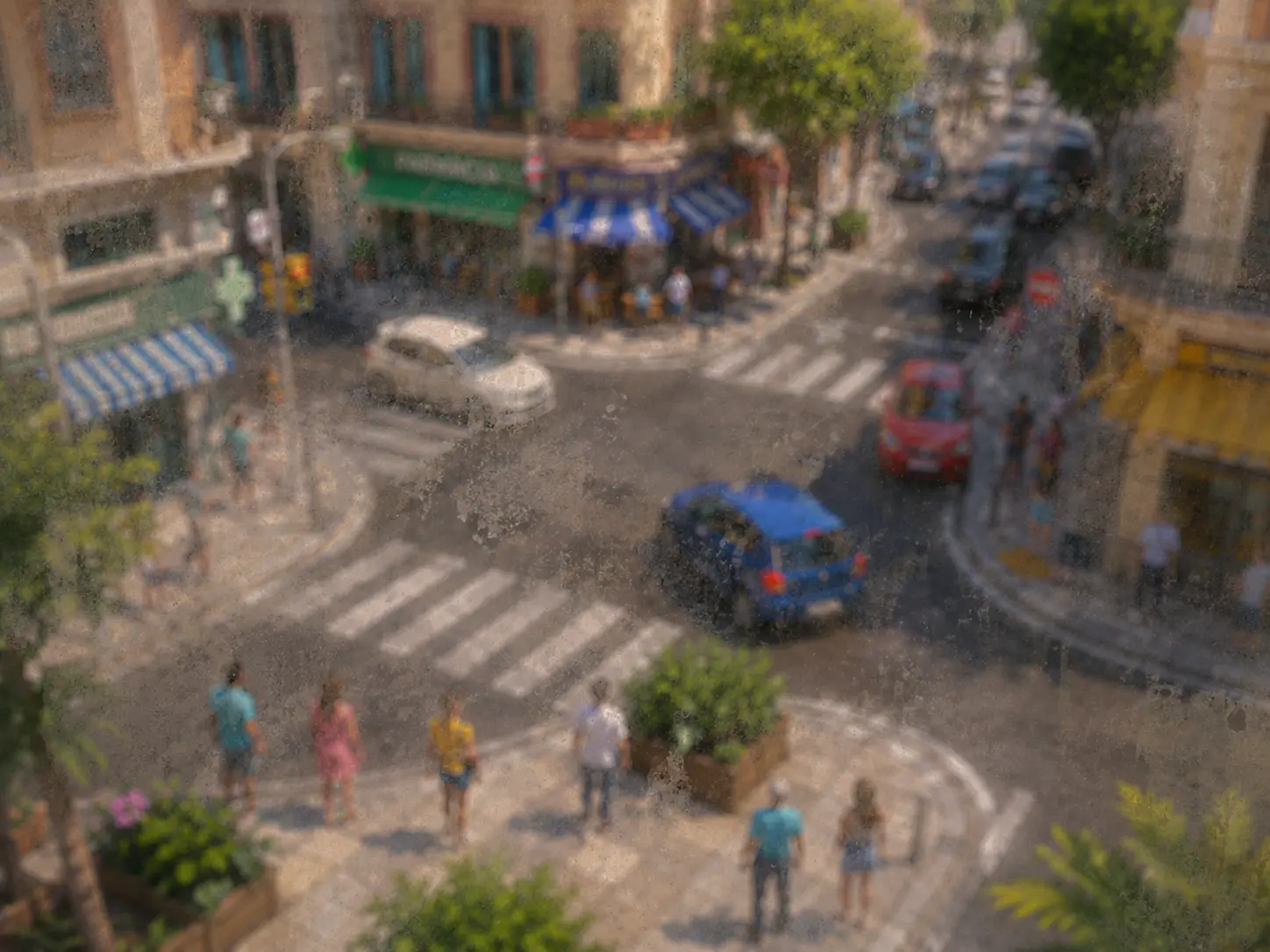
CAM-910
Dirty
Dust, mud, grease or salt built up on the optics. It doesn’t happen overnight: it happens over a month.
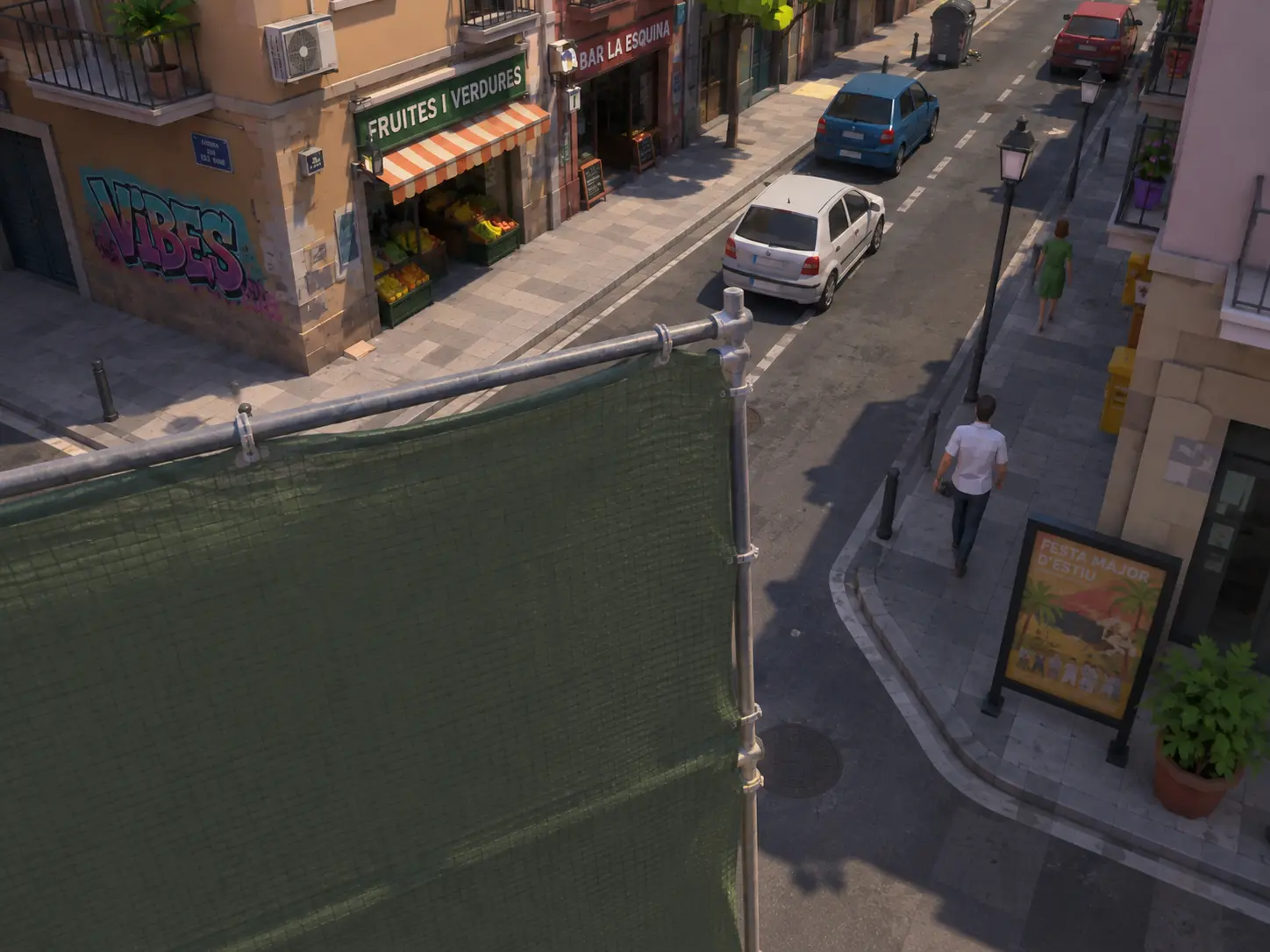
CAM-911
Something new in front
A sign, a tarpaulin, a dumpster or a parked truck block the area it watched. Nobody did it on purpose and nobody’s going to move it.
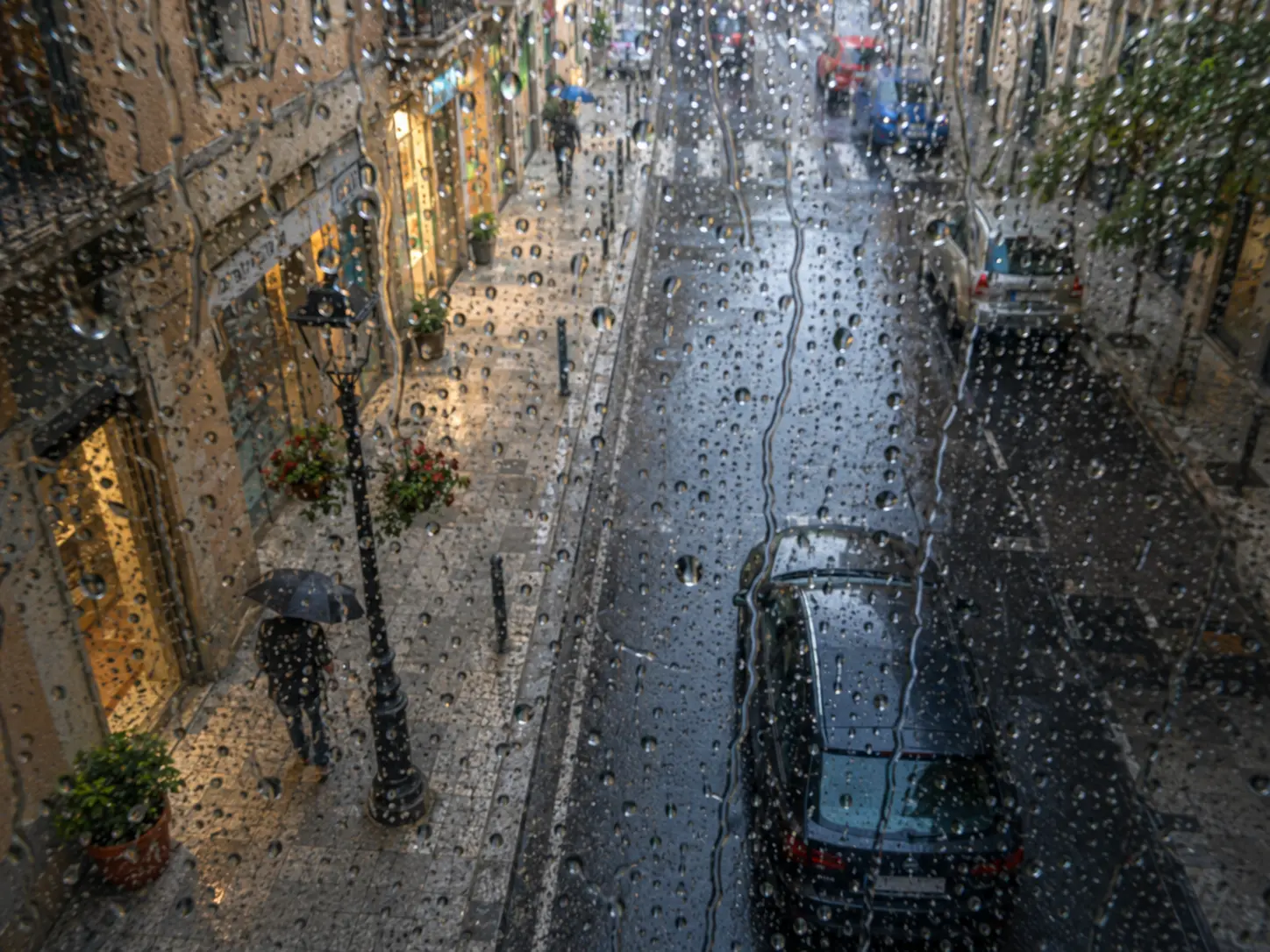
CAM-912
Drops that stay
Water on the optics long after the rain has stopped. Usually it is the dome, not the rain.
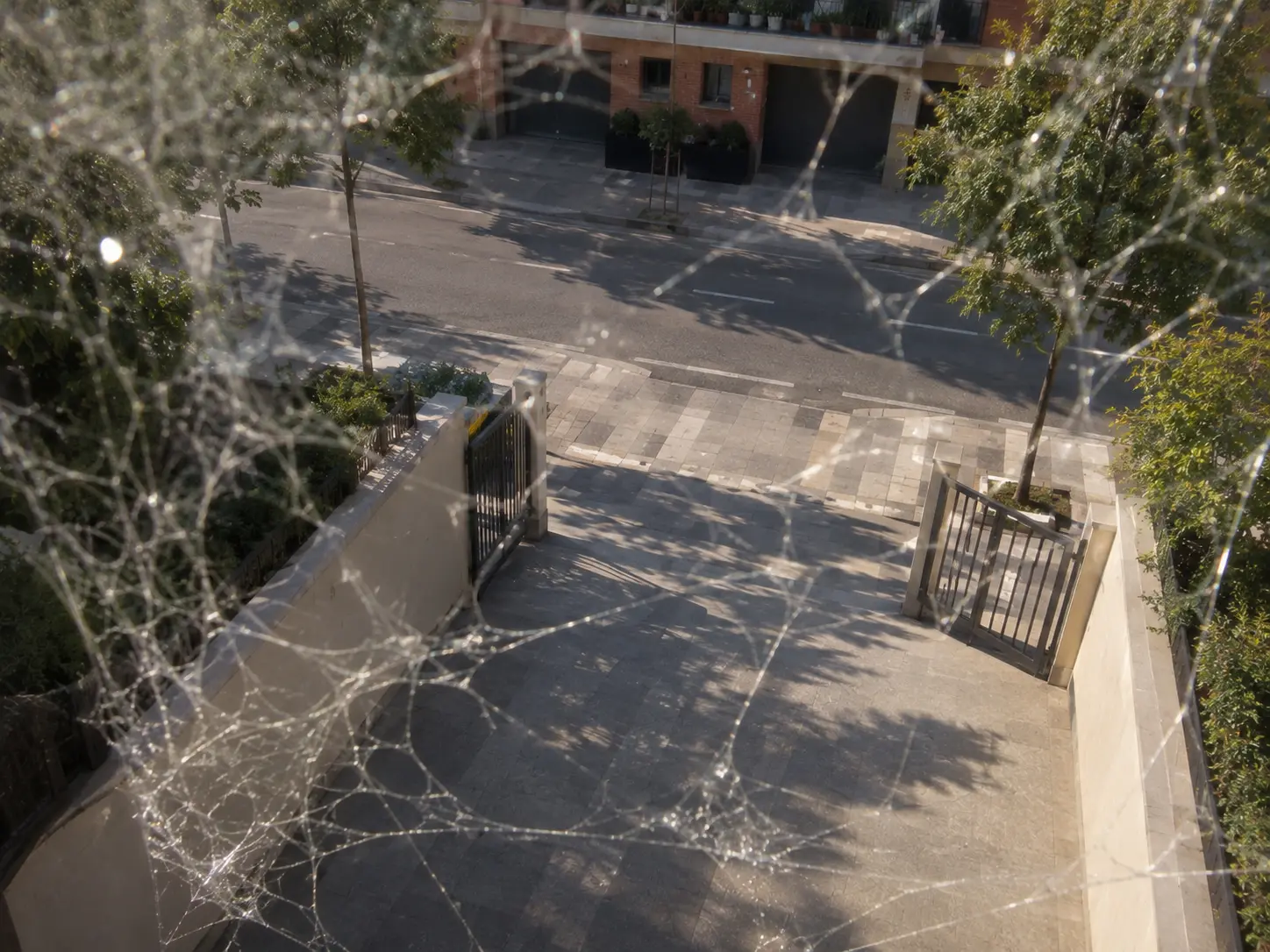
CAM-913
Cobwebs
Filaments in front of the lens. They blur, they reflect at night and they fire detections that are nothing.

CAM-914
Insects on the dome
They settle where the infrared light shines and block half the picture. They come back every night; in summer, every single one.
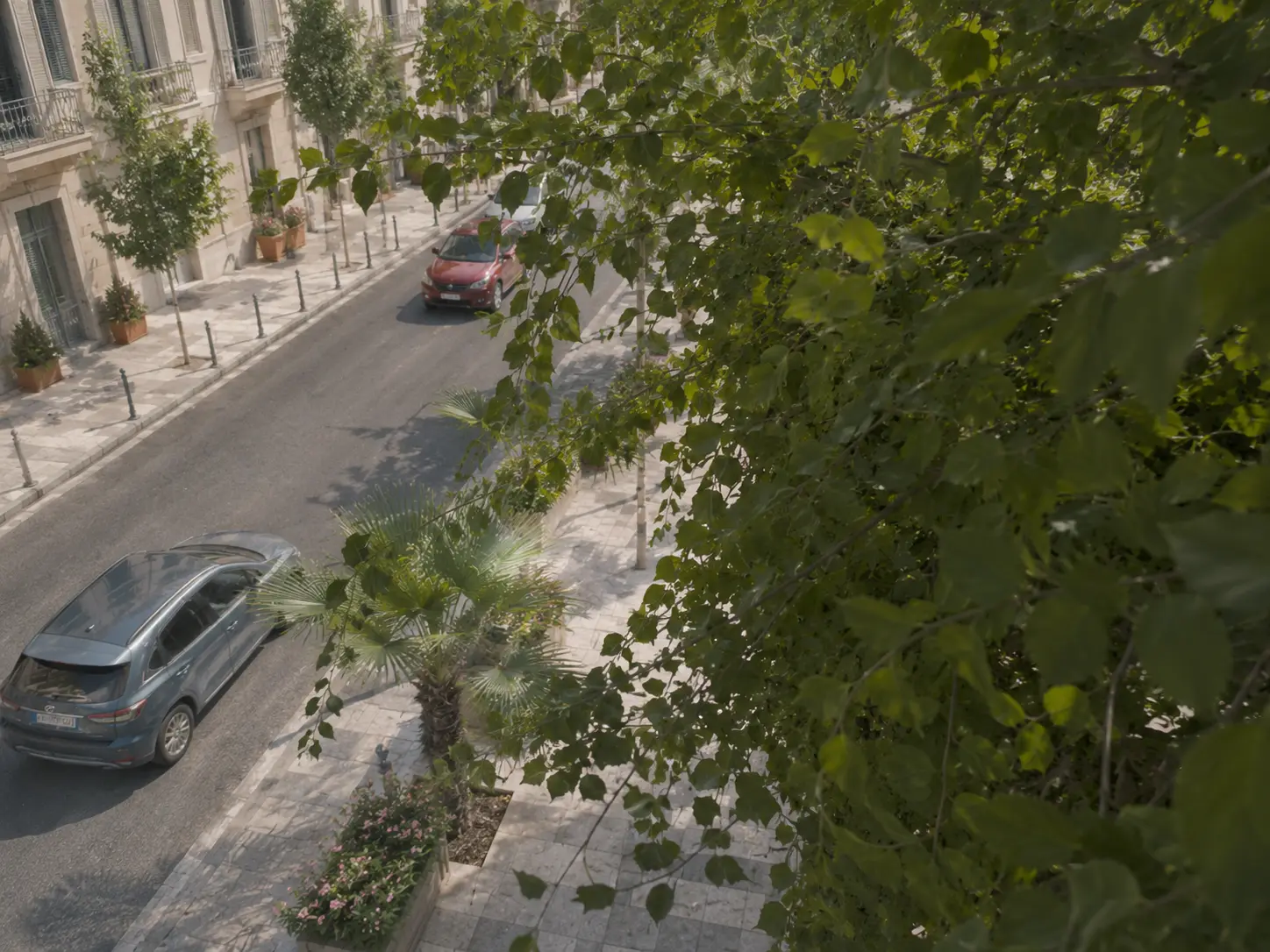
CAM-915
The branch has grown
The tree that was planted small now covers half of it. Nobody notices, because it took two years.
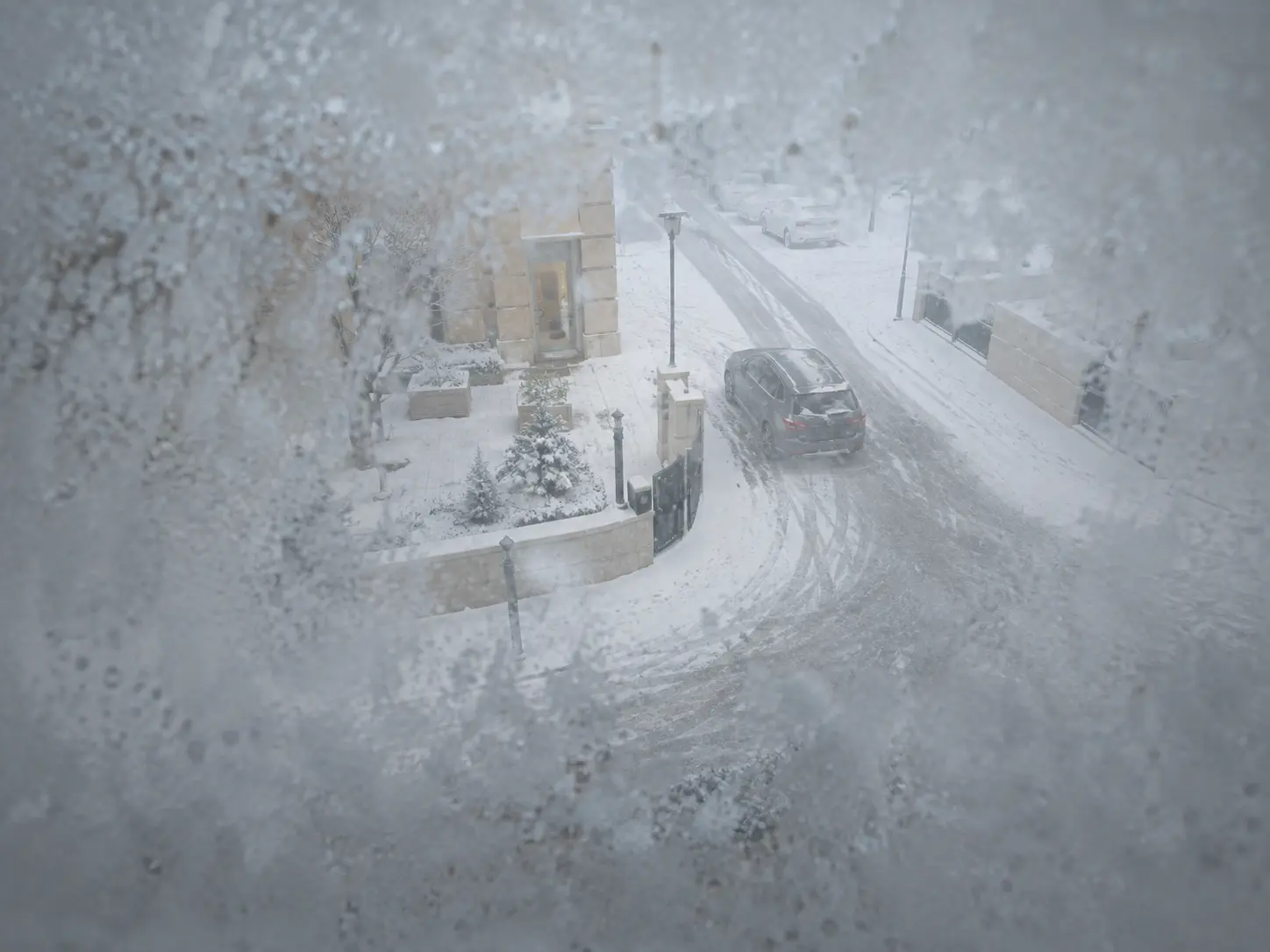
CAM-916
Snow or frost
A build-up on the dome that won’t melt by itself. It’s the fault that arrives the day the camera is needed most.
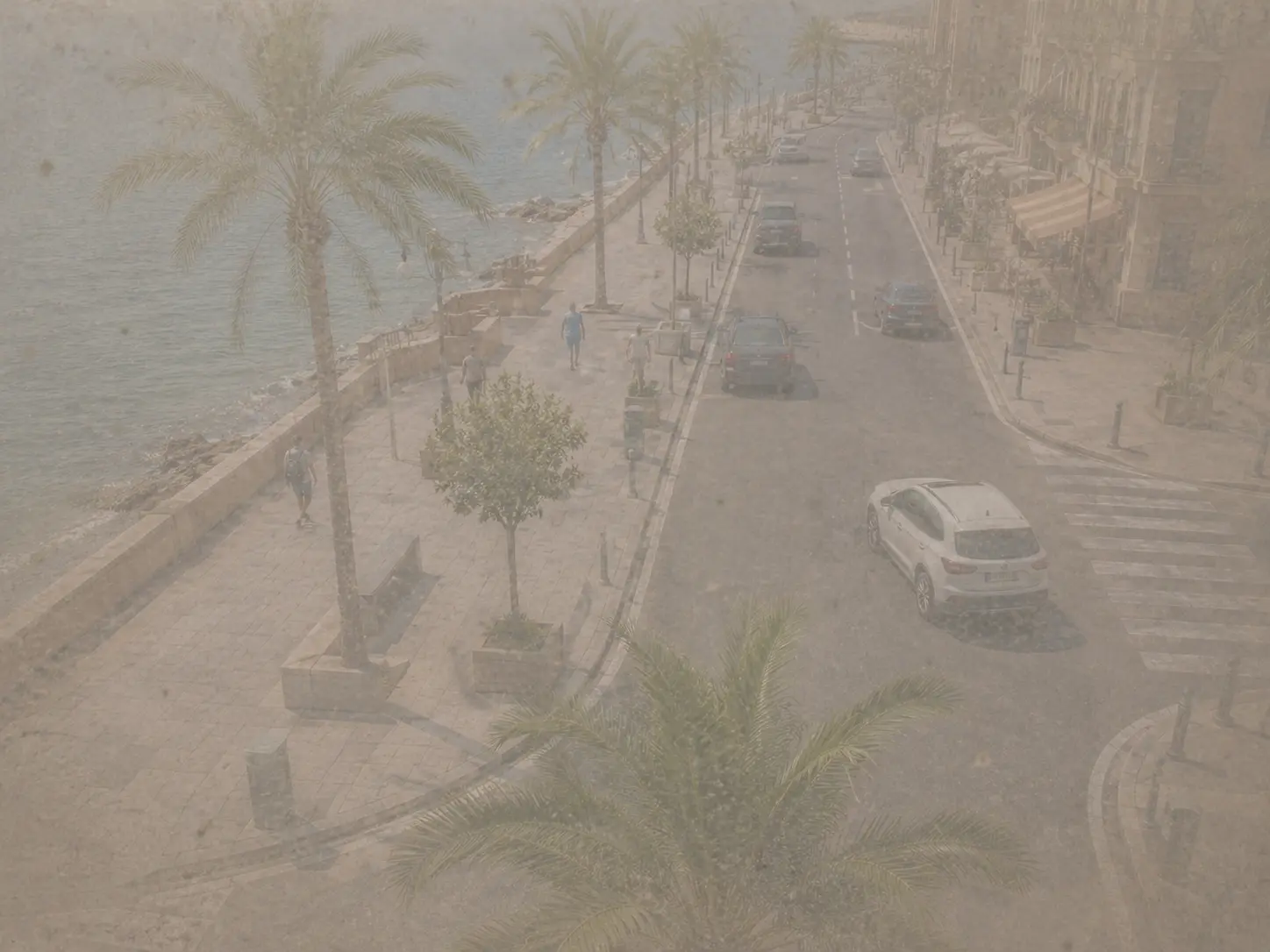
CAM-917
Dust and sand
Airborne particles that veil the picture little by little. It’s normal in a quarry, a plant or on the coast.
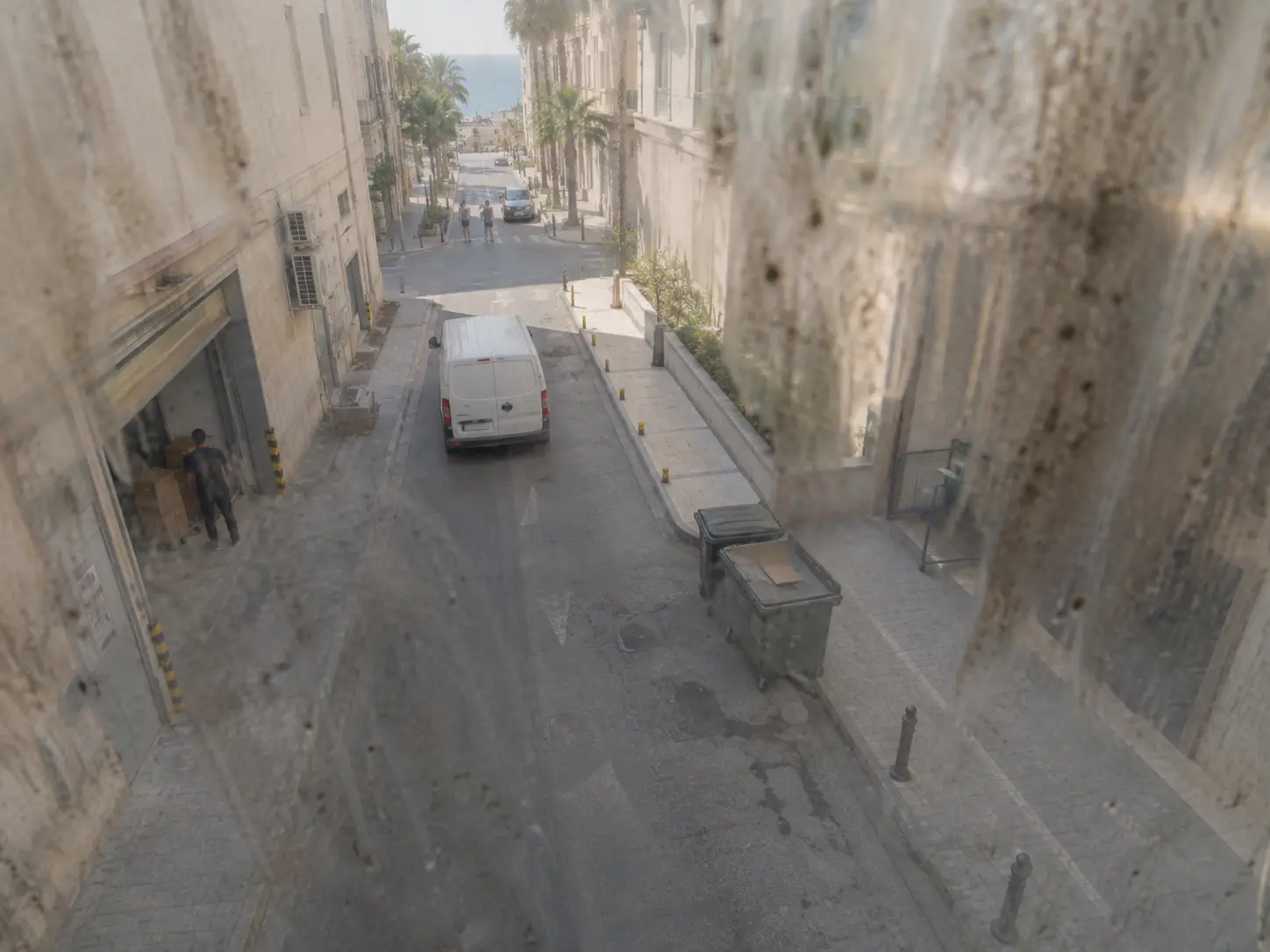
CAM-918
Greasy streaks
Oil or residue on the optics that distorts more than it blocks. Typical of kitchens, workshops and production lines.
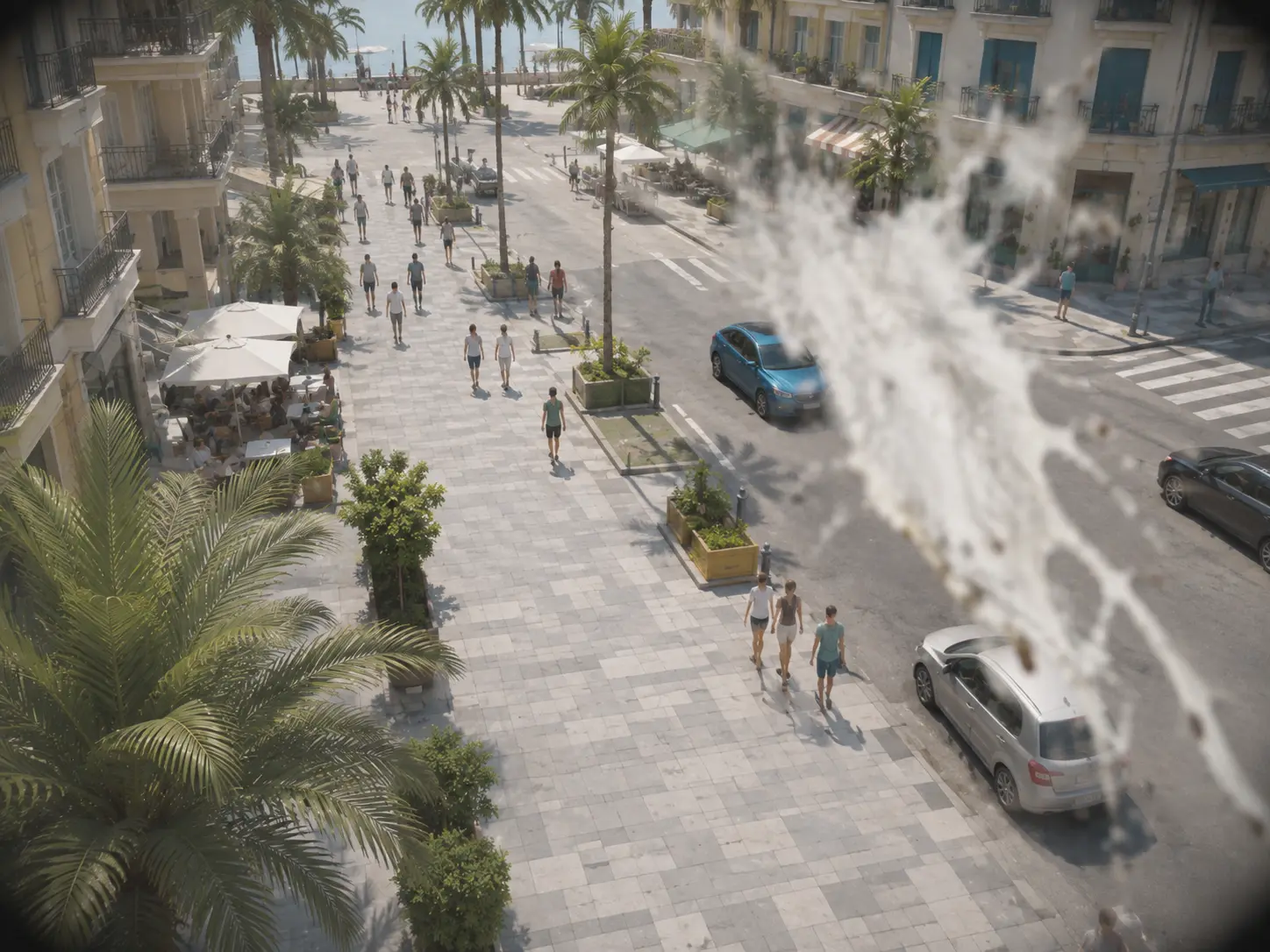
CAM-919
Bird droppings
An organic splat stuck to the dome. It dries, it doesn’t fall off and it always blocks the same patch.
The picture is no longer usable10
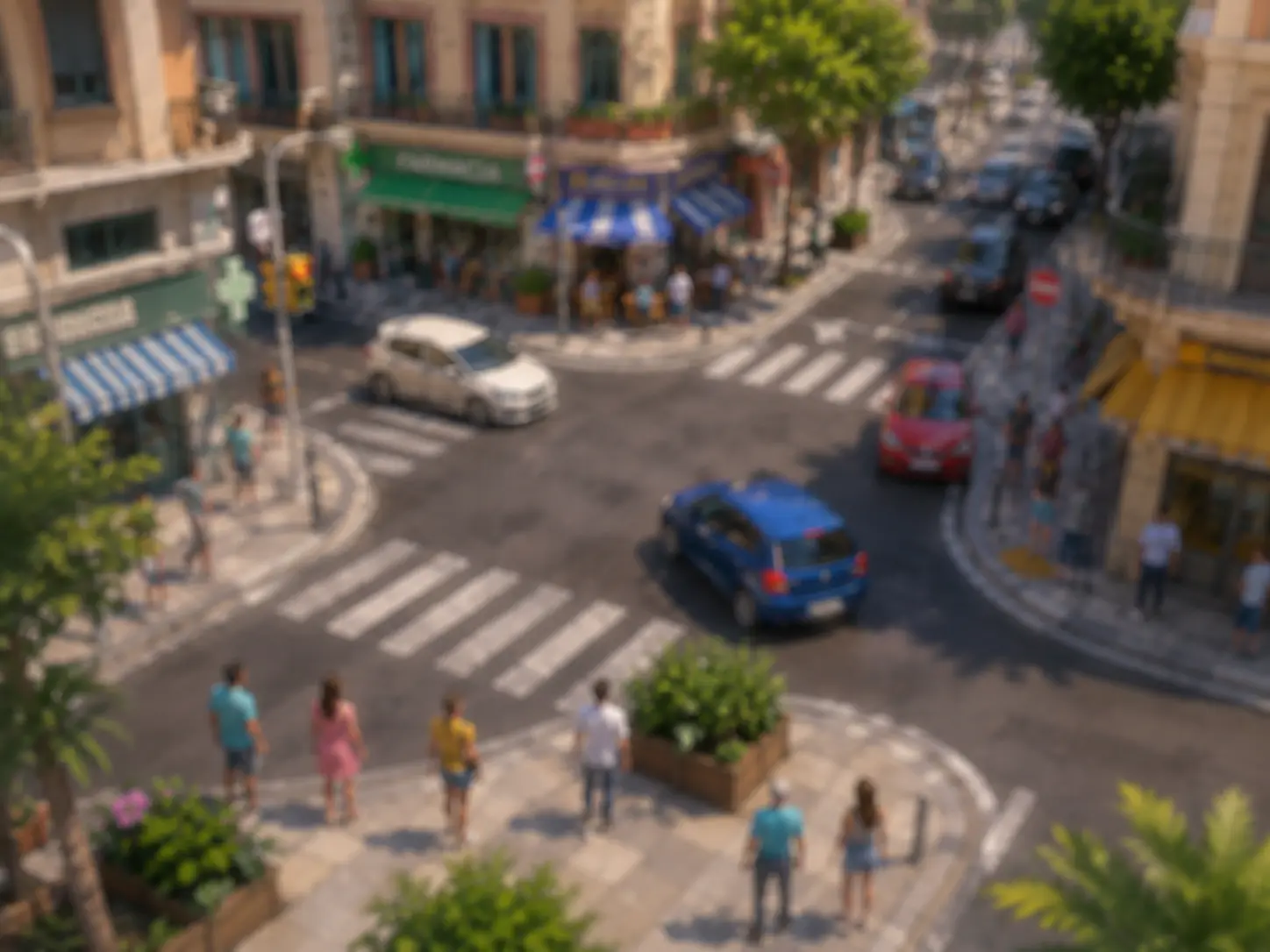
CAM-920
Out of focus
The picture loses sharpness. It may be the focus, months of vibration, or somebody who touched it.
CAM-921
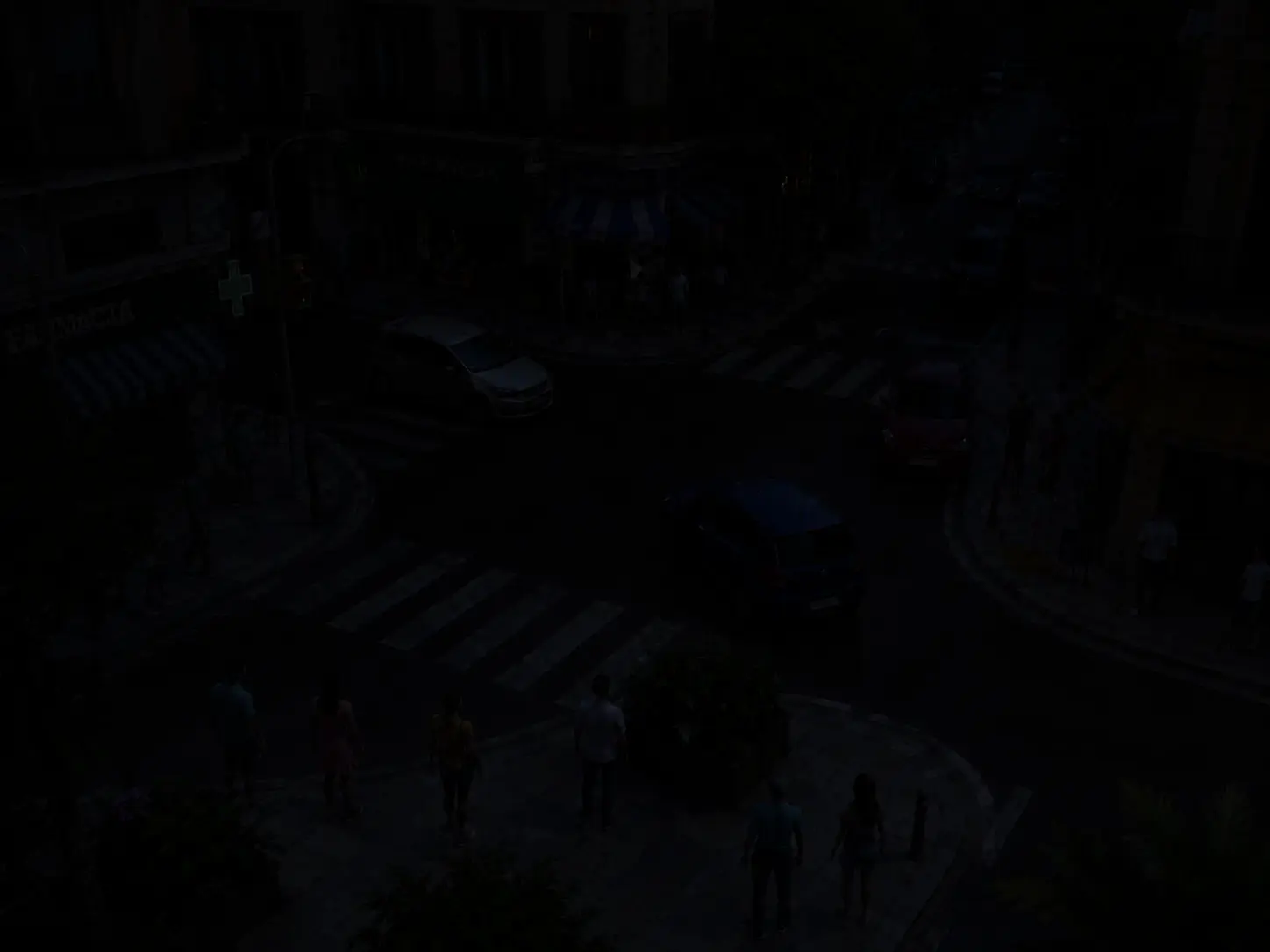
Gone dark
The scene goes black all at once: a light went off, the illuminator failed, or the exposure changed by itself.
CAM-922
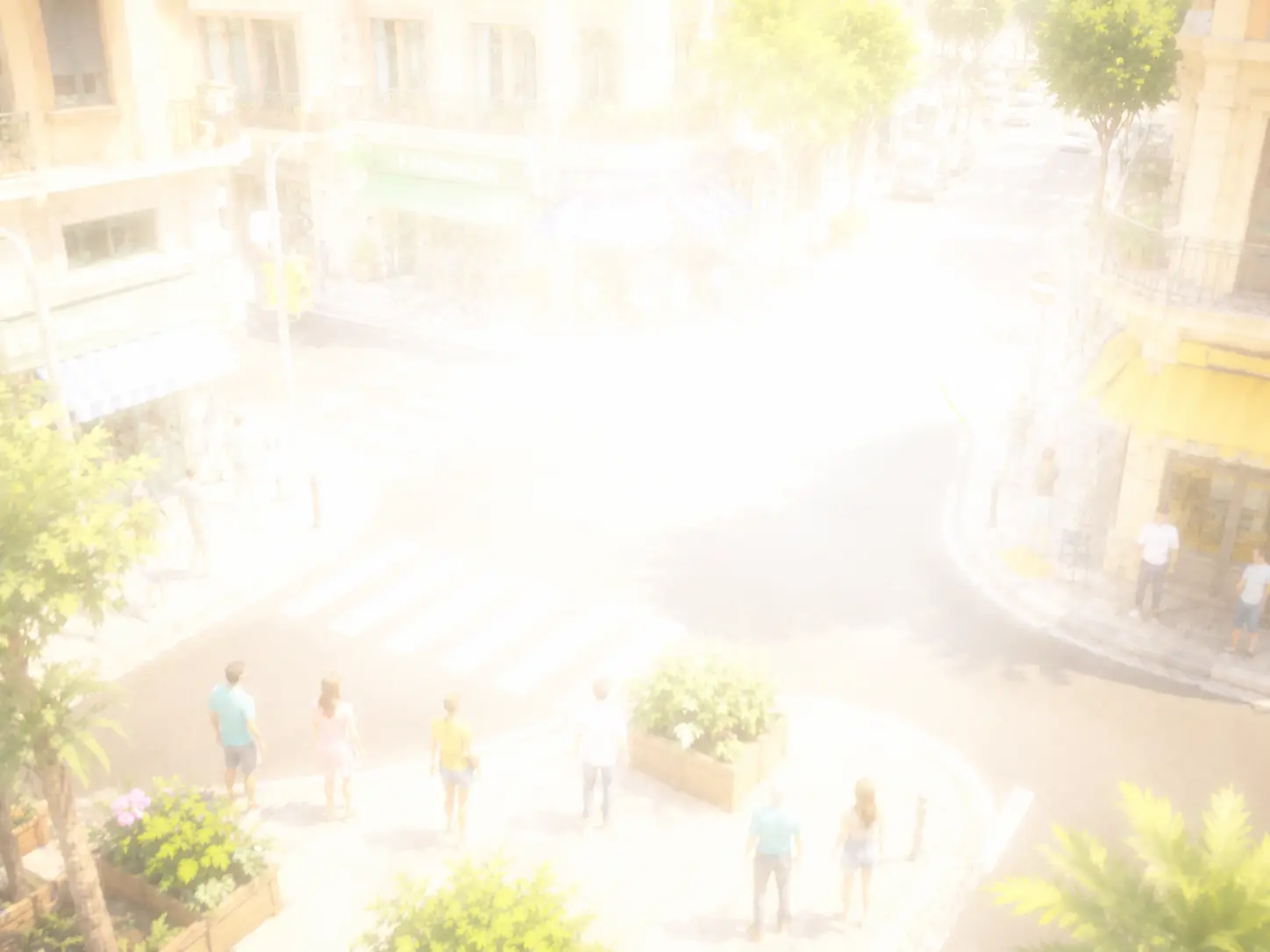
Blown out
So much light that no detail is left. It’s worse than a black image, because it looks like it is working.
CAM-923
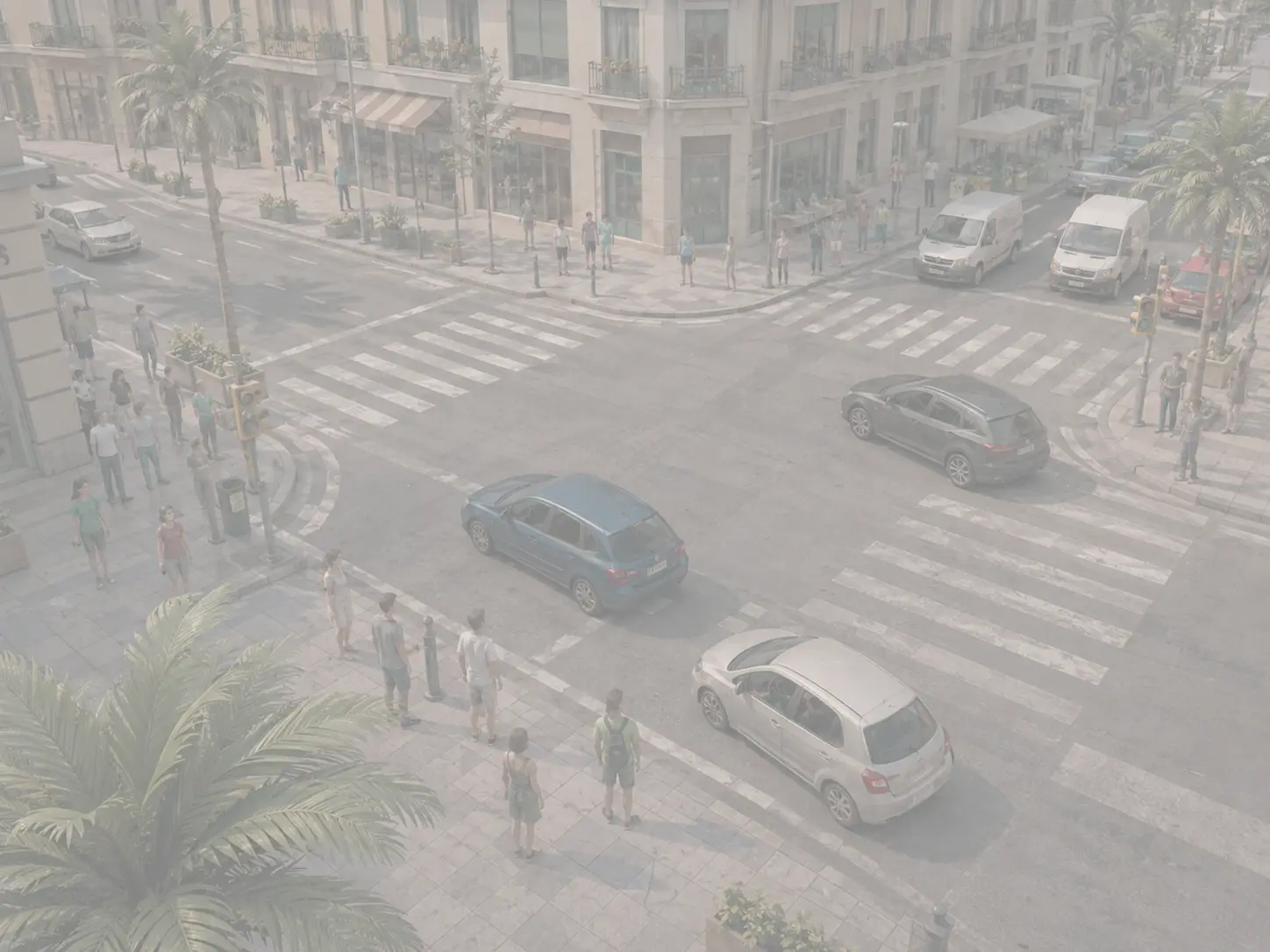
Flat, no blacks
Everything tends to gray and things don’t separate from the background. It’s the first thing to go and the last anybody looks at.
CAM-924
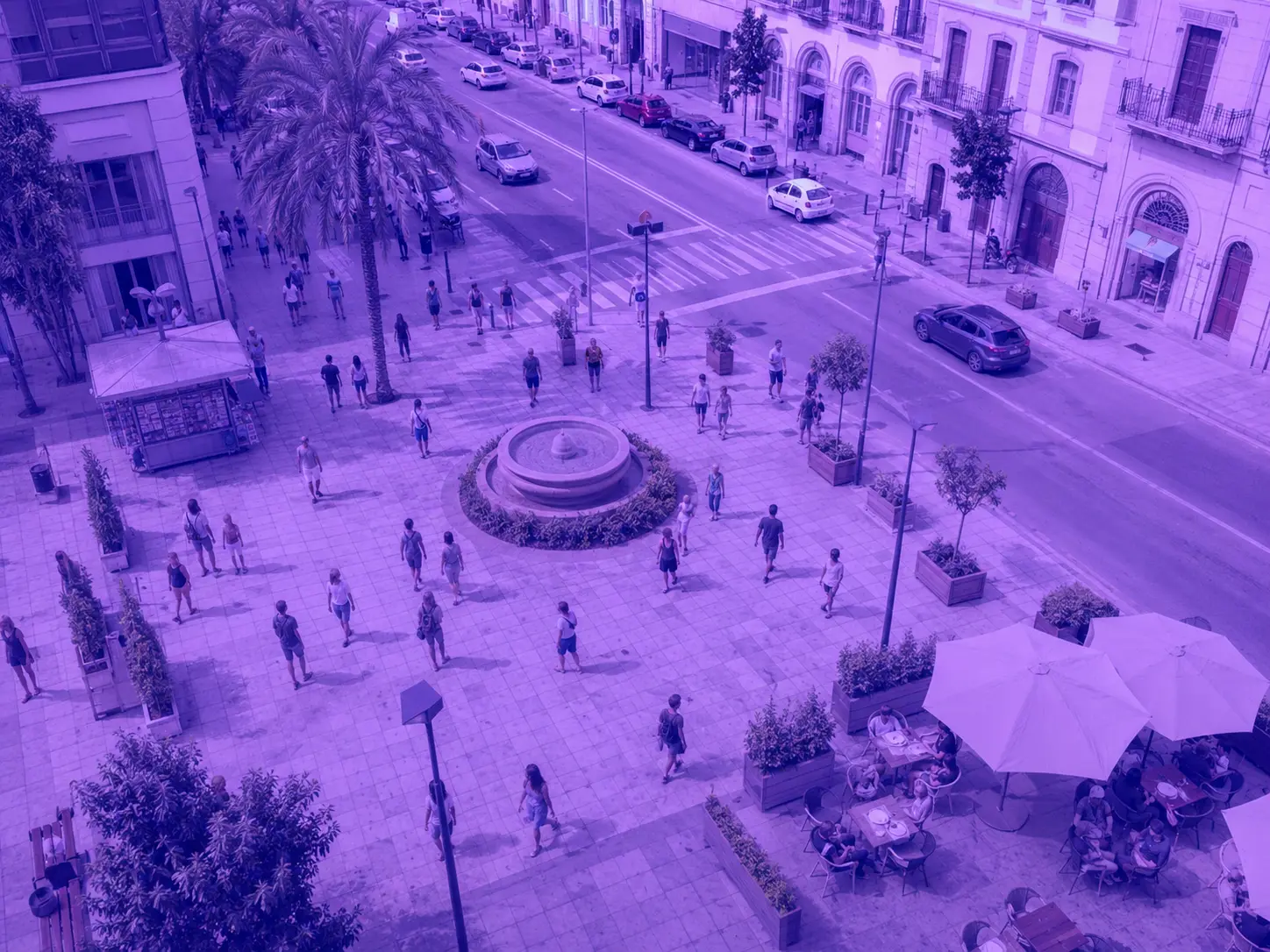
The color has gone
A green, blue or violet cast takes over the whole picture. A red car stops being red, and searching by color stops working.
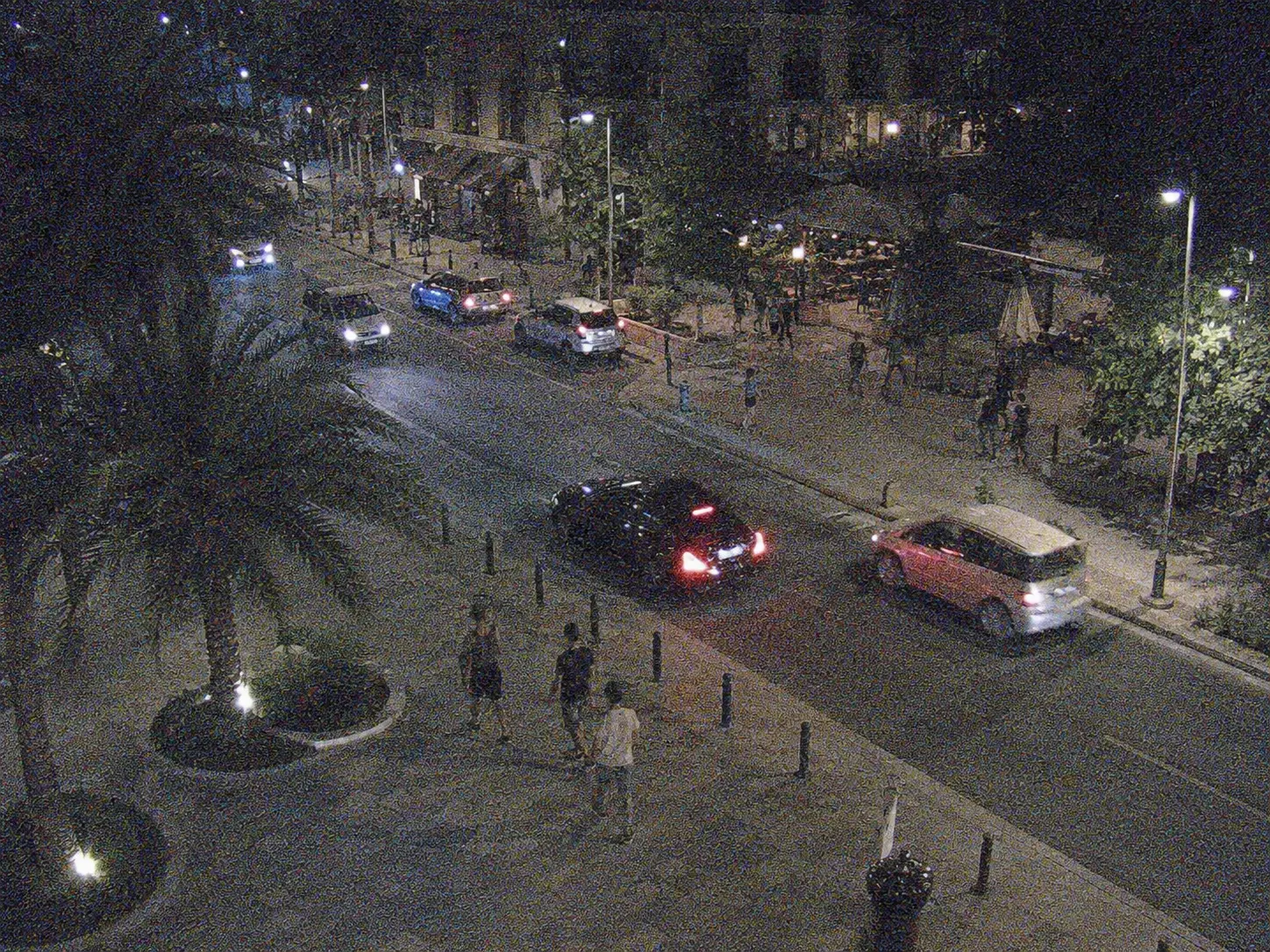
CAM-925
Full of grain
Electronic noise that buries the detail, almost always at night. It tires whoever watches and misleads whatever analyzes.
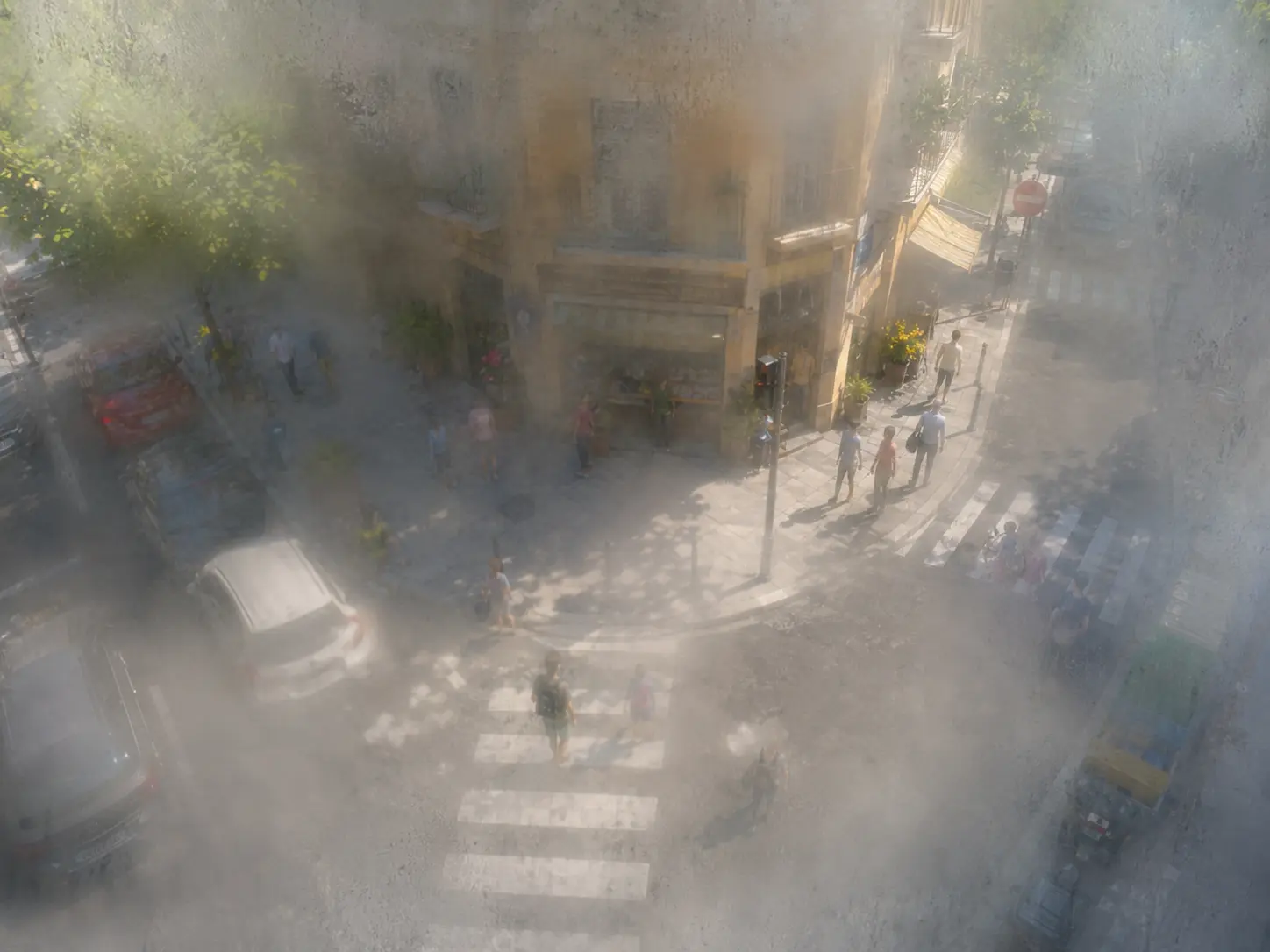
CAM-926
Misted from inside
Moisture inside the dome. It can’t be cleaned from outside: it has to be opened, which is why it pays to know before climbing up.
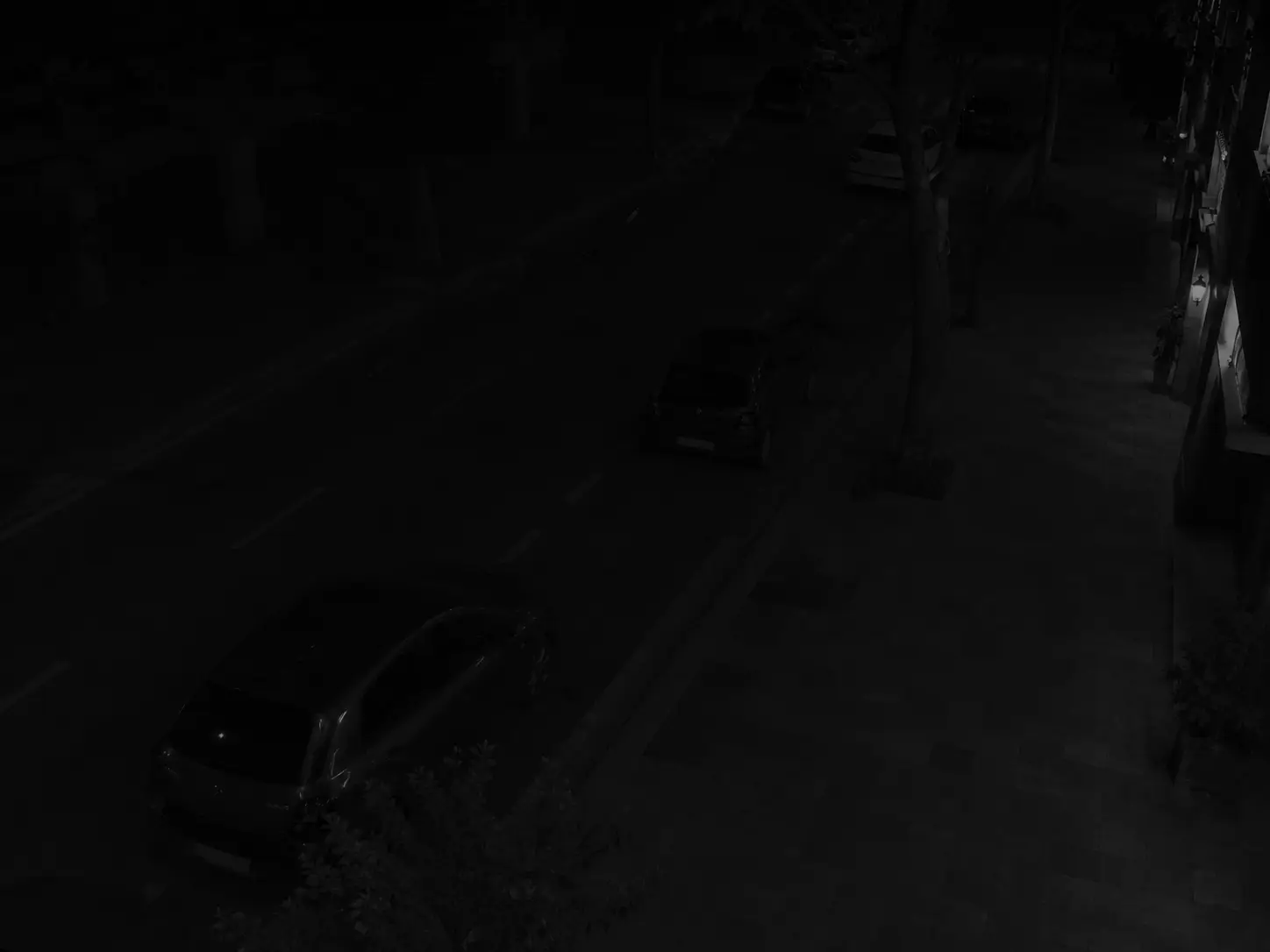
CAM-927
No night vision
Fine by day, useless by night. For half the hours of the year it is watching nothing at all.
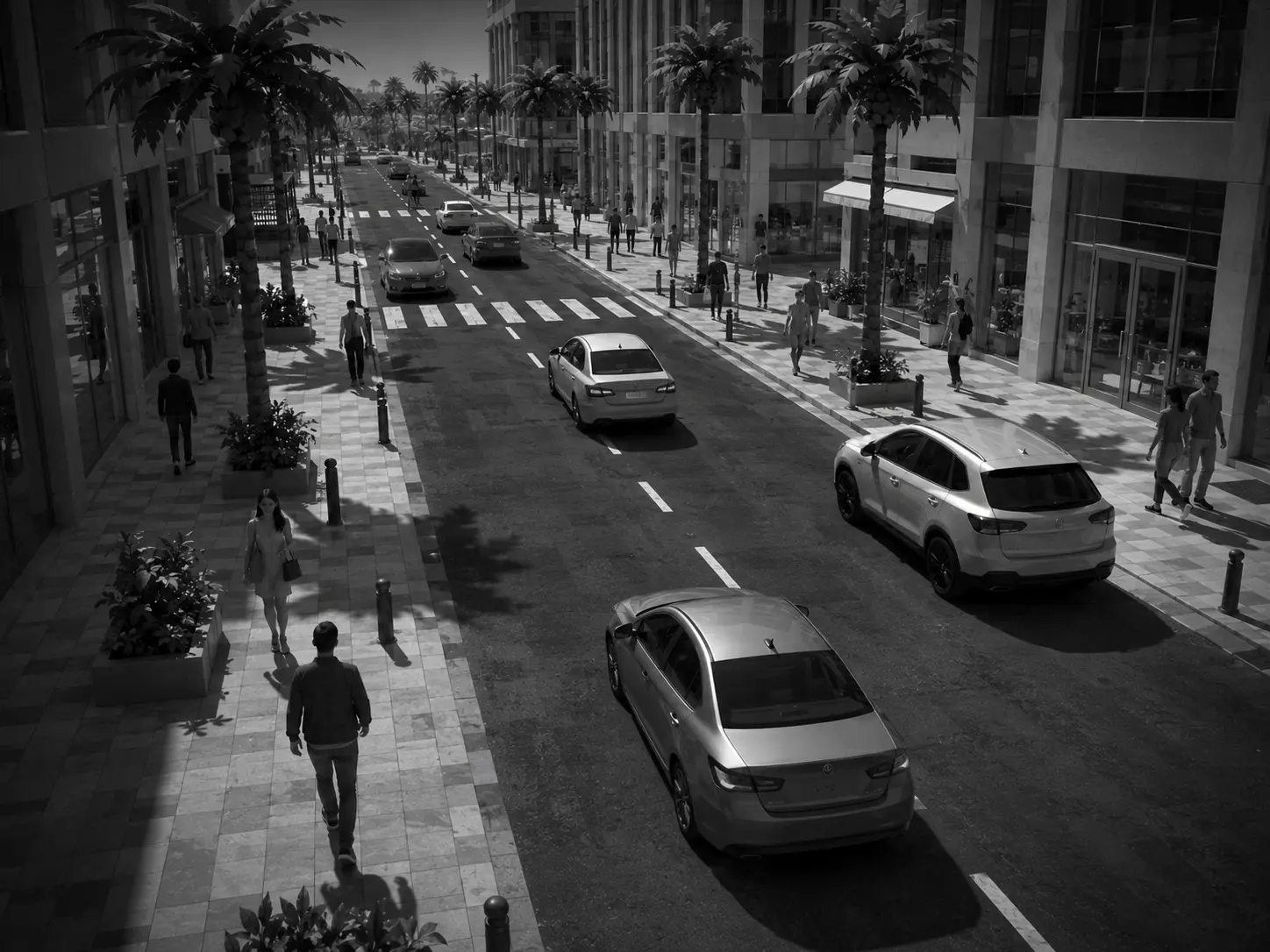
CAM-928
Mono at midday
It’s stuck in night mode with the sun high, or it keeps switching back and forth. Color is lost, and with it the ability to search by color.
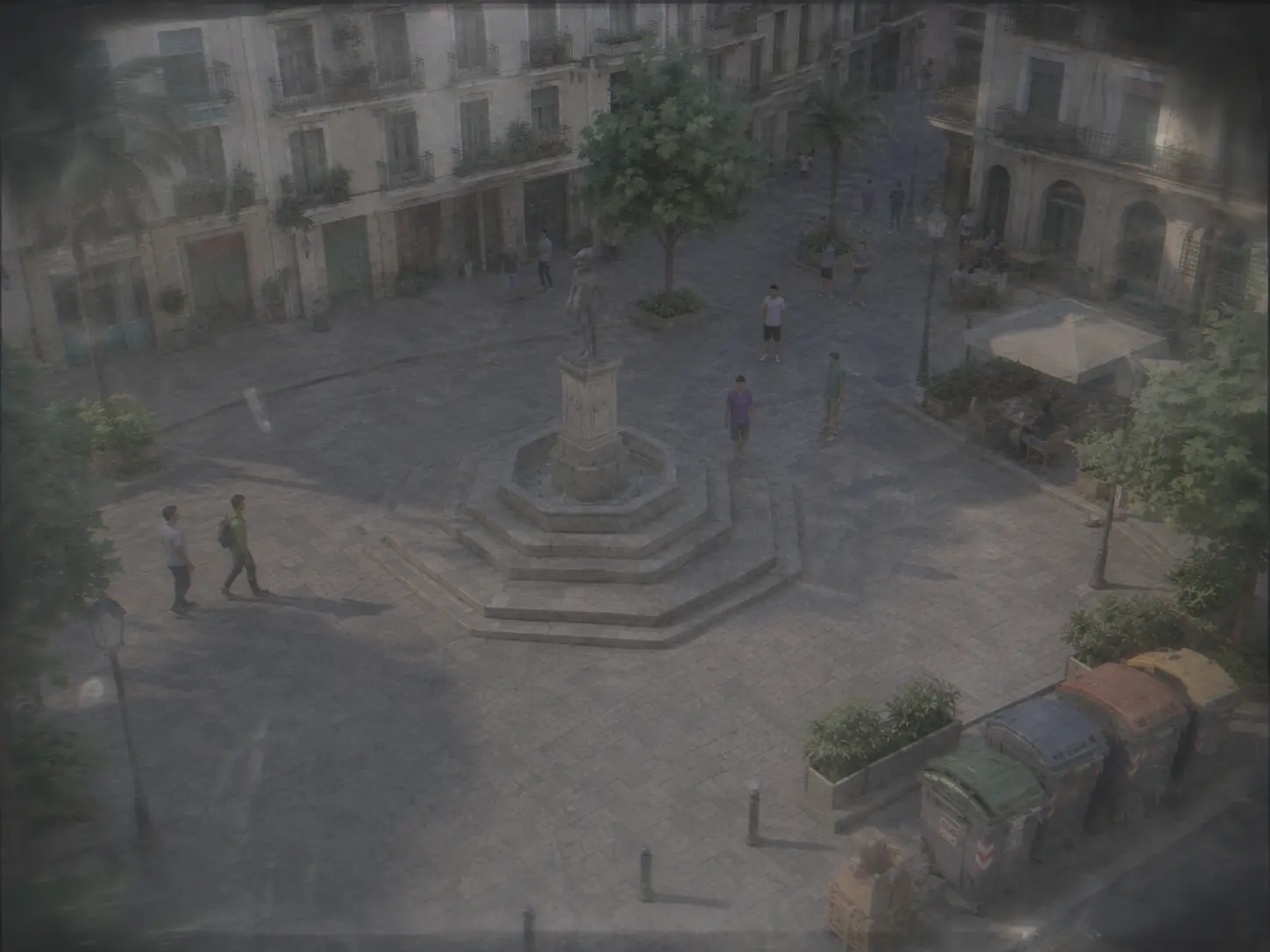
CAM-929
Getting worse for weeks
No single image looks bad. Compared with the one from a month ago, the camera has been sliding for a month. This is the one you fix before it breaks.
The stream is failing5
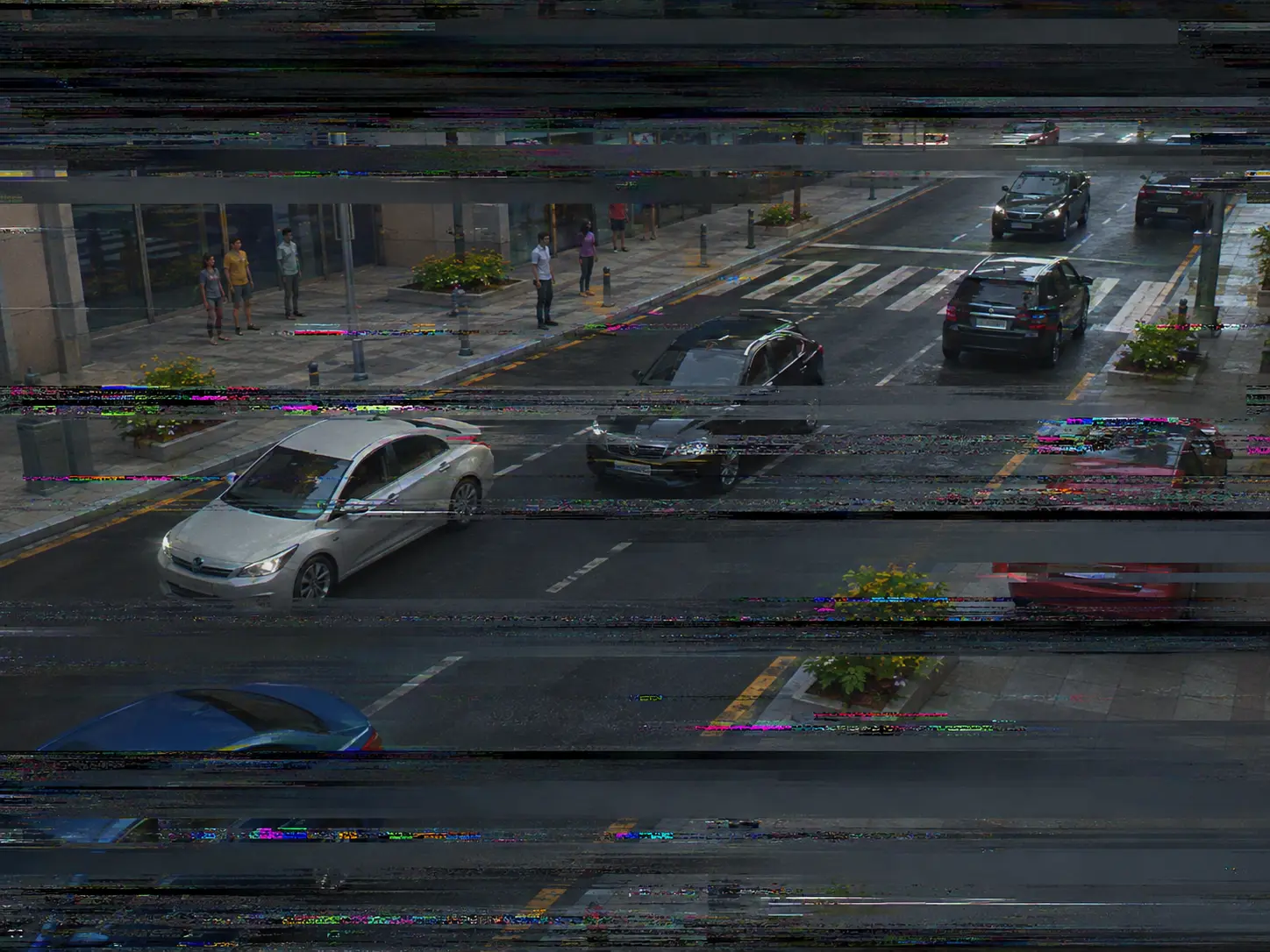
CAM-930
The stream breaks up
Short cuts, jumps and chunks that never arrive. Every gap is a stretch of time that camera recorded nothing.
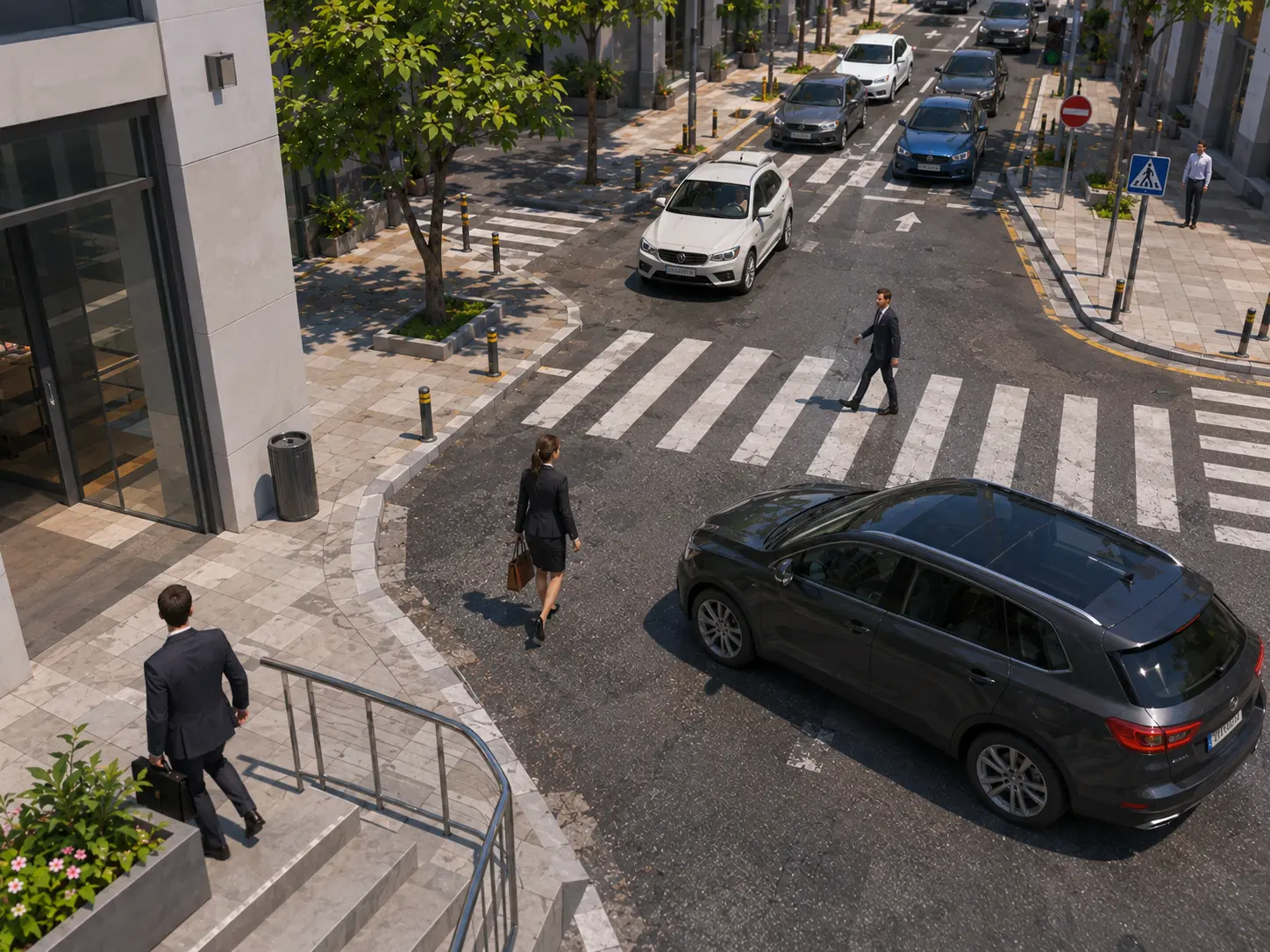
CAM-931
Frozen
There’s nothing wrong with this picture, and that’s precisely the problem: it’s been the same for six hours. The stream arrives, the disk records, and not one car has gone by.
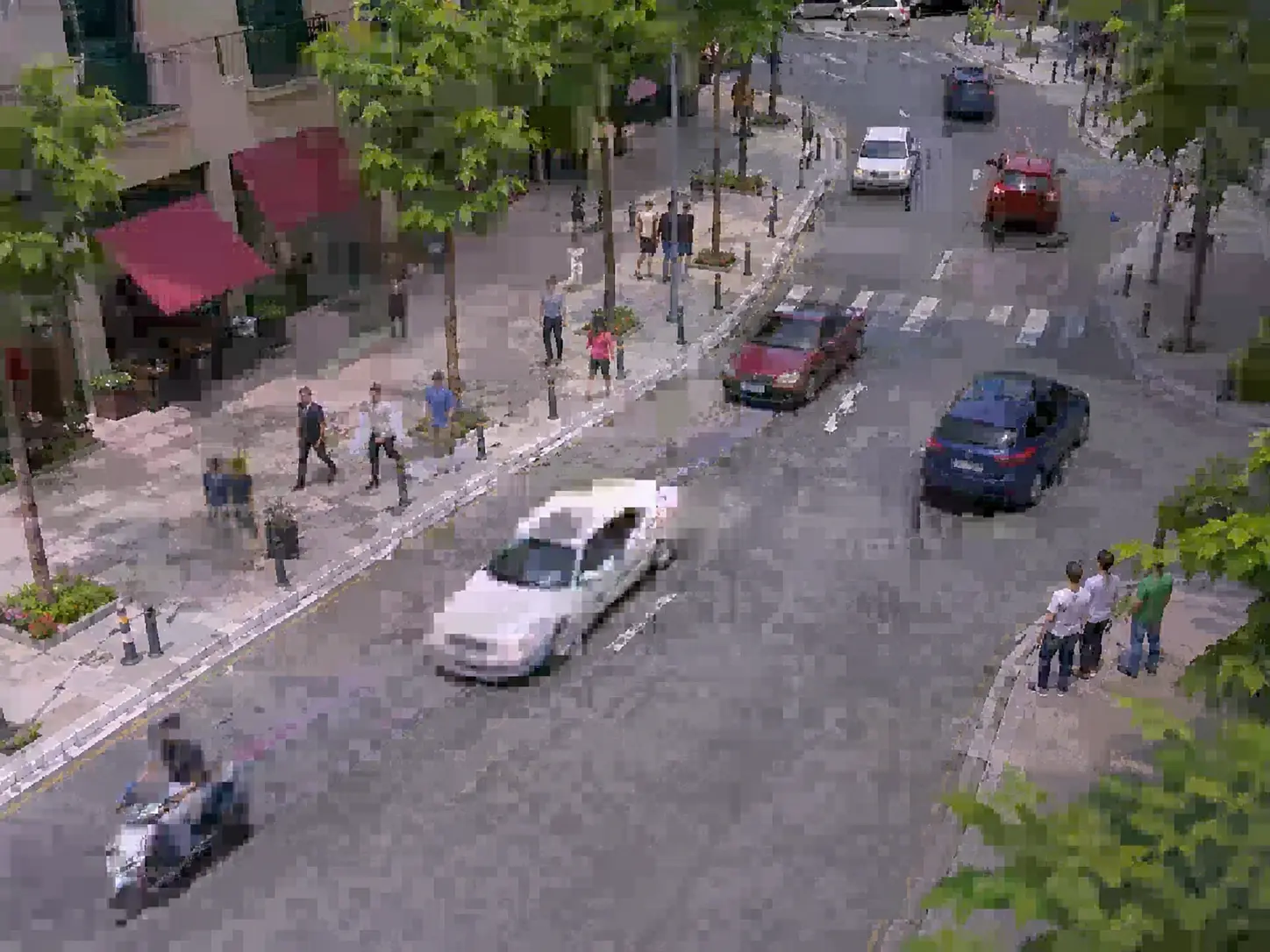
CAM-932
Blocky
Blocks and artifacts eating the detail. The plate you needed can’t be read, and it wasn’t the camera: it was the bandwidth.
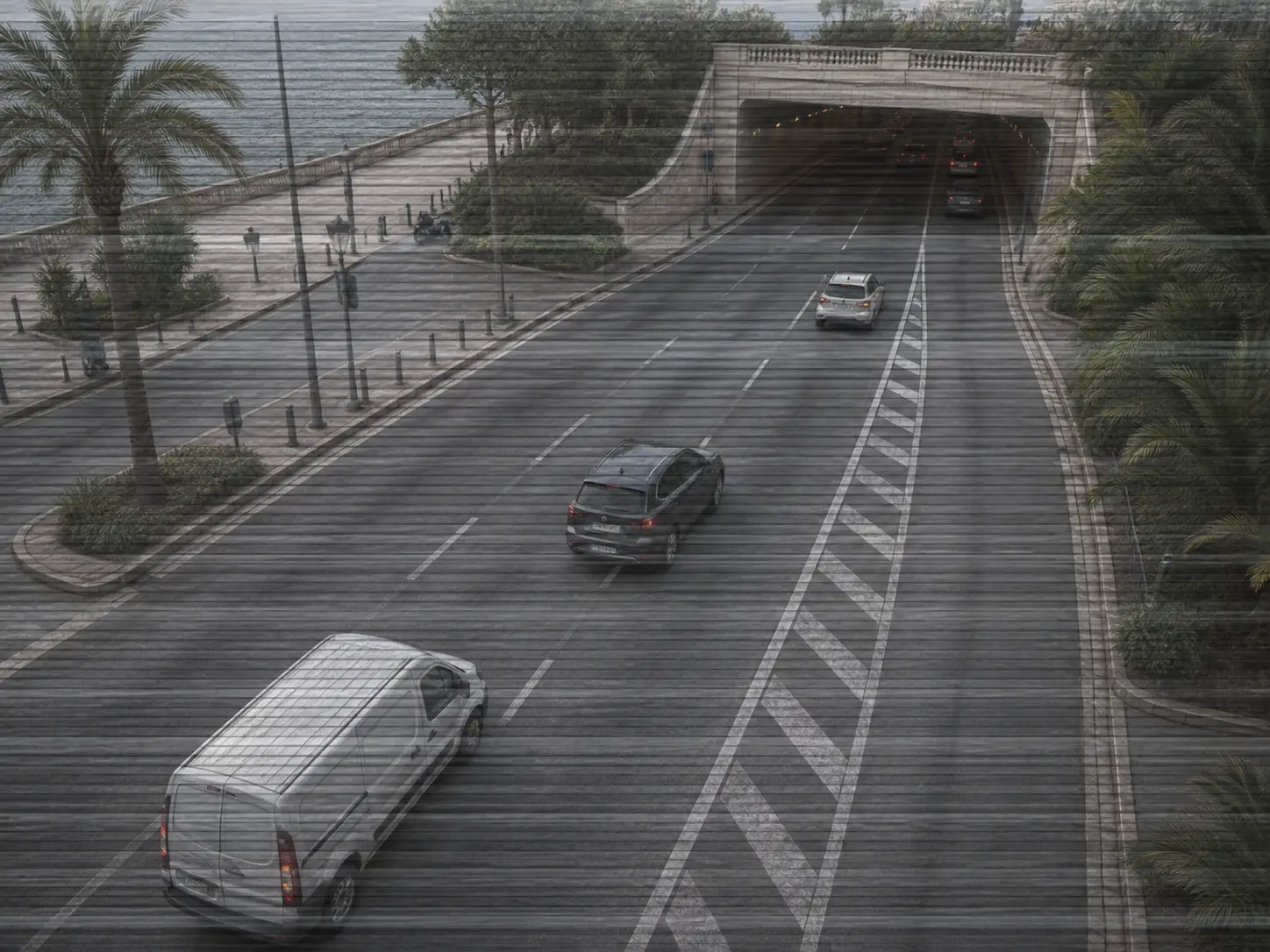
CAM-933
Bands across the picture
Fixed horizontal or vertical lines. Usually electrical interference or the sensor itself, and cleaning the glass won’t shift it.
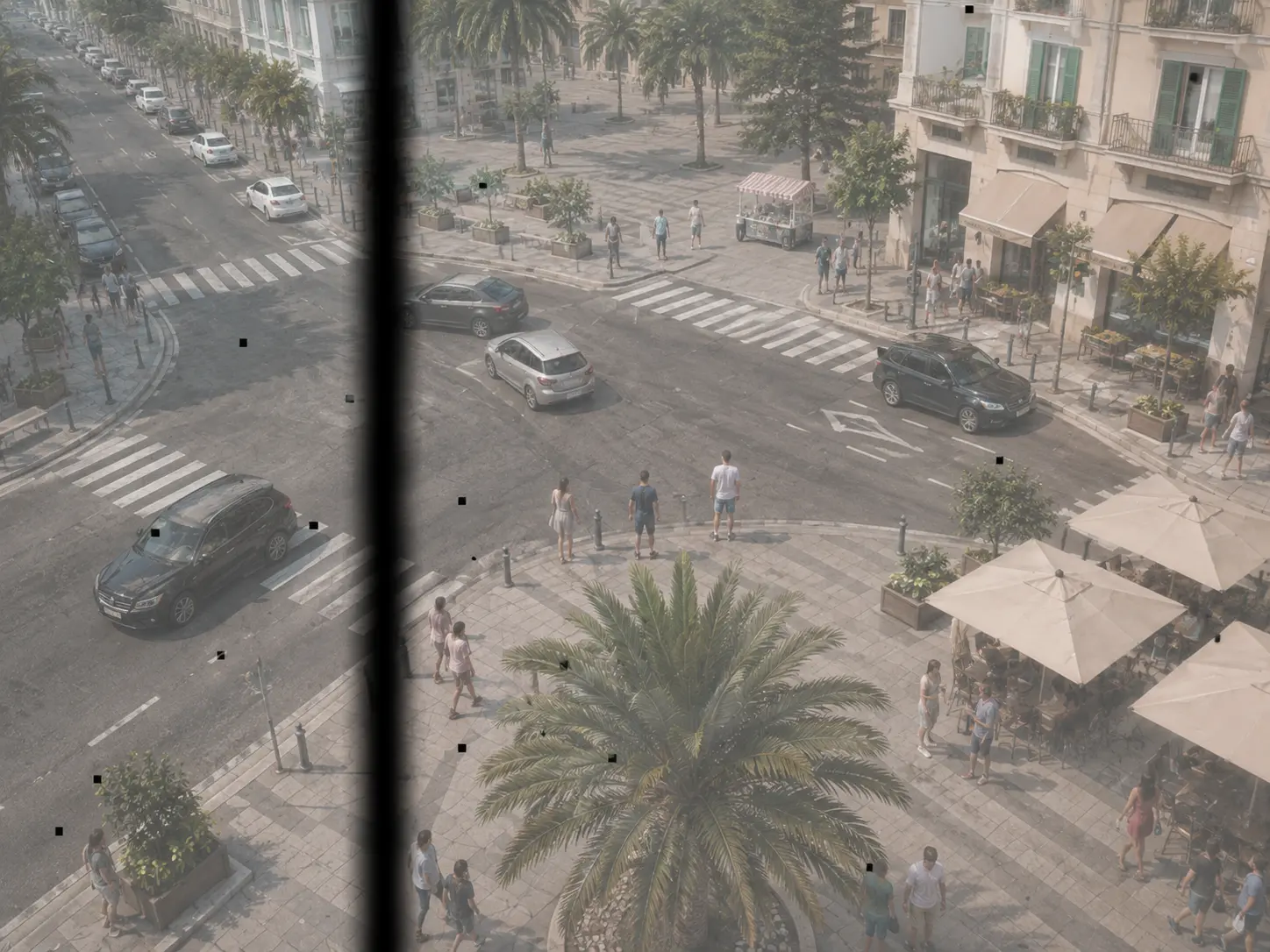
CAM-934
Dots that never move
Marks or lines always in the same spot of the image, whatever happens in front. It’s the sensor, and no software will fix it.
Without waiting for somebody to notice
It inspects all four thousand every day
Nothing has to go off. You schedule an audit — every day, every Sunday, the first of every month, whenever you like — and at the appointed time IRIS looks at every camera in the installation one by one and compares each with how it was.
When it finishes there is a report: which are fine, which have gotten worse and which can’t see. With each one’s image, time and what’s wrong with it. It exports to a spreadsheet, and that’s what you hand to whoever maintains the installation so they climb the ladder knowing what they’re climbing to.
And it doesn’t cost more
Ask it whatever you like: the license is per camera
Asking it to alert you when somebody falls and asking it whether that same camera is dirty cost exactly the same, because what you pay for is the camera, not the question. There’s no separate maintenance module, no price per thing you want to watch. If the camera is already in IRIS, you already have this.
What people ask
The six questions that always come up
In this order: first whether it works with what is already there, then whether it’ll fill the day with alerts, and finally what it costs.
Does it work with my cameras, or do I have to replace them?
With the ones you already have, whoever made them. IRIS asks the camera nothing and doesn’t depend on it being able to report that it’s broken: it looks at the picture that arrives, the same way it looks at a person or a truck. A twelve-year-old camera produces a picture, and that’s enough. Nothing to replace, no extra box, no new cable.
Is this not going to fill my day with alerts?
No, and that’s precisely the design. Everything carries its own threshold and its own time: a raindrop has to stay a good while, dirt has to get worse over several days, the framing has to have really changed and not just caught a gust of wind. Only three things alert immediately: the camera being covered, being turned, or losing the stream. Everything else interrupts nobody — it waits for the day’s report.
How does it know how that camera was supposed to look?
Because it keeps a record. On day one IRIS notes how that camera looks when it’s fine — its framing, its sharpness, its color, how much light it gives at night — and that becomes its reference. It belongs to that camera and no other: one on the loading dock and one in a lobby have nothing in common, and comparing them would say nothing. From then on it compares each day against its own reference, not against an ideal.
How often does it check the cameras?
You decide. You schedule an audit — every day, every Sunday, the first of every month — and at the appointed hour IRIS looks at every camera in the installation one by one, without anybody having to ask and whoever happens to be at the screen. When it finishes there is a report of which are fine, which have gotten worse and which can’t see, each with its image and its time. It exports to a spreadsheet.
Is this charged separately?
No. The IRIS license is per camera, not per question. Asking it to alert you when somebody falls and asking it whether that same camera is dirty cost exactly the same, because what you pay for is the camera. There’s no separate maintenance module and no price per thing you want to watch: if the camera is already in IRIS, you already have this.
Does IRIS fix the camera, or does somebody still have to climb up?
Somebody has to climb, and IRIS doesn’t pretend otherwise: it repairs nothing, reboots nothing and cleans no domes. What it does is let whoever climbs go up knowing what for, and in the right order. The difference isn’t small: you go from a calendar round — walking four hundred cameras because it’s that time of year — to a list of the eleven that actually have something, with the picture in front of you. And some of those eleven get sorted from the ground.
See it running
The three things you’ll ask it for
Inspect them all every day, find out while somebody’s touching a camera, and ask it which ones are seeing nothing. Pick one above and watch: it’s a summary of the real screen, running by itself.
Every simulation
Inspect them all every day
Every day at ten in the morning, look at every camera and tell me which have gotten worse.
- The sentence
- Where it applies
- What it finds
- The same rule
Every simulation
Somebody is touching a camera
Alert me if a camera suddenly stops seeing, or if somebody reaches it.
- The sentence
- Where it applies
- What it finds
- The same rule
Every simulation
Which ones are seeing nothing?
Show me the cameras that are not giving a usable picture right now.
- What you’re looking for
- Where to look
- What matches
- Who looks
Next step

What does an airport see before the line forms?
14 cases: 7 raise an alert when something happens and 7 only measure. You see each image as it is, and then with what IRIS understands on top.
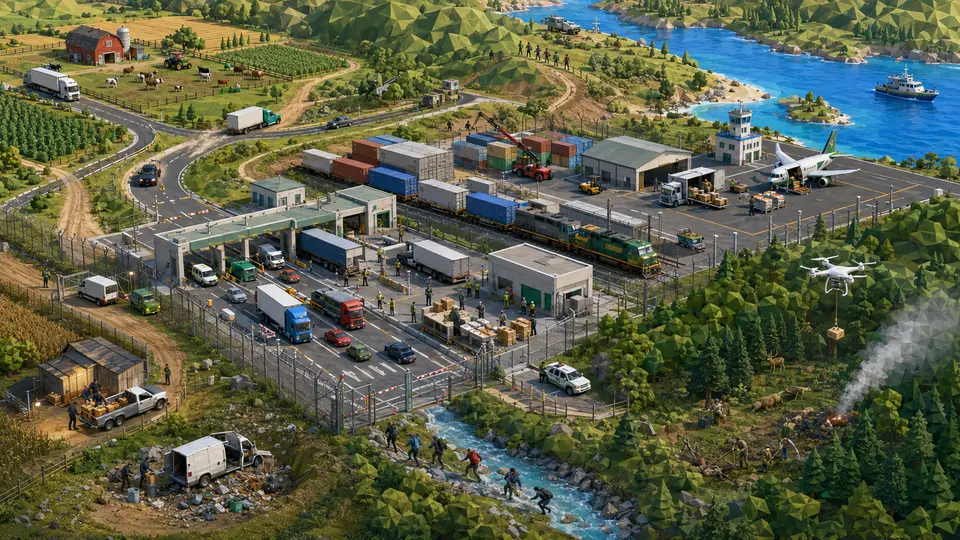
What can a camera see without pointing at anyone?
13 cases: 9 raise an alert when something happens and 4 only measure. You see each image as it is, and then with what IRIS understands on top.


And the best part
Nothing to drill, nothing to rip out:the cameras already on your walls can start understanding.
No building work, no new cabling, no swapping equipment. It connects to what is already there, and what’s already there starts telling you what it sees.
Tell us your problem and we’ll say whether IRIS understands it, or not yet.
A person answers, the same working day.