Solutions by typeCustomer experience
How do I know the position is covered without going to look?
The position is set up, and nobody is behind it
It is 04:10 in the substation control room. The mimic panels are still alive: six screens lit between the desk and the wall board, lines moving, one curve climbing slowly. The radio sits in its charger and a pen rests on the logbook, open at tonight’s page. The chair has been empty for twenty-six minutes. Everything runs exactly as it would if someone were sitting in it.
18 cameras across 10 sectors
What IRIS is
IRIS watches the cameras for you.
IRIS Neural is an artificial intelligence that watches the cameras you already have and understands what happens in front of them. When something important happens —or something you told it you need to keep an eye on—, it alerts you; and whatever can be counted, it counts in numbers. All day long, without anyone having to watch a screen.
You tell it what you need to watch, and IRIS does it.
Works with the cameras you already have. Nothing to replace.
A person replies, not a form.
- Your footage never leaves your premises.
- It doesn't identify people.
- Certifications →
This is how you ask for it
«“Alert me if the control room position is left empty for more than fifteen minutes during the hours it must be staffed.”»
As long as nothing happens, nothing happens. The problem is the night something does go off and the post has been empty for half an hour: the switching is done late, nobody picks up the call and the log gets written afterwards, from memory. The next day the question is not what failed, it is who was there. And there is no answer: a sheet signed at the end of the shift and a video nobody has watched.
You decide once
You decide which positions count and when: the control room from ten at night to six in the morning, the reception desk while people are waiting in front of it, the cash desk on the afternoon shift. You decide the minutes of slack — nobody is glued to a chair — and who gets told. You say it once, and IRIS applies it every night, over Christmas too, and on the day the roster changes.
An empty position makes no noise. The screen stays lit, the phone stays in its place and from outside everything looks the same. That is why the only way to know whether someone is sitting there is to call or walk up and look, and both happen once something already feels off, not before. The same thing happens at a counter: the position is fully set up, screen on, papers laid out, and nobody is behind it while five people stand waiting.
IRIS watches the area you marked — that chair, that stretch of counter, that console — and checks one thing: whether someone is there. Once it has been empty longer than you said, within the hours you said, the alert goes out with the camera, the time and the video. It does not measure how well anyone works. It measures whether the post is covered, which is a different thing, and it is the thing you will be asked about.
The other thing it leaves behind is a record. Not a score, not a percentage: the hours that position was staffed and the hours it was not, without anyone signing a sheet at the end of the shift. It is useful with the owner, with the insurer or with whoever audits you, and above all it stops the arguments from memory. Video stops being a tape and becomes something you can consult.
What changes
Before, you found out at the shift change, or when a call went unanswered. Checking meant a phone call at four in the morning, which lands badly when the person was in fact there. Now the alert comes on its own once the post has been empty longer than agreed, with the camera in front of you, and whoever is in charge decides: call, send someone, or do nothing because they already know that person is pulling someone off a fault tonight.
Where we have seen it
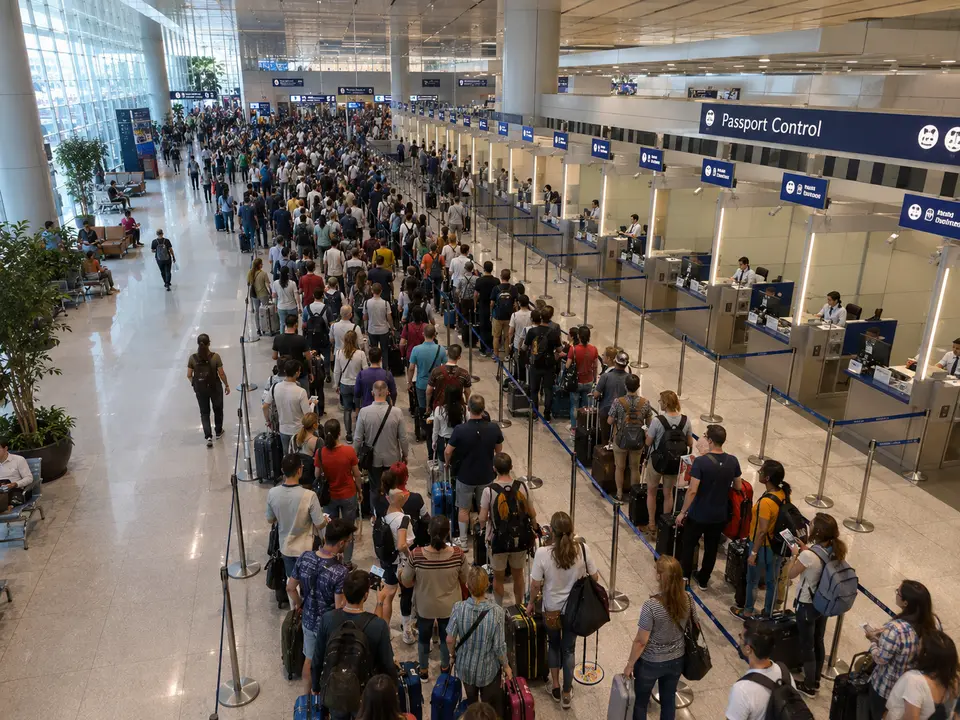
CAM-584Fifty-two minutes of queue and seven booths switched off
«Tell me if the control wait goes over forty minutes and there are booths still closed.»
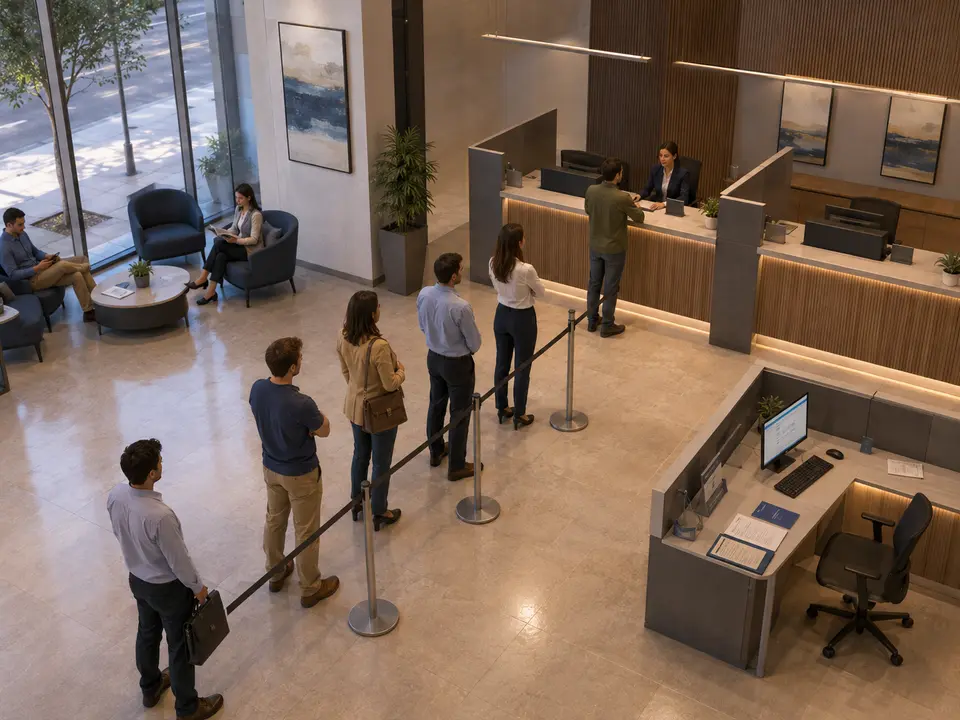
CAM-511Five people waiting and a desk set up with nobody at it
«Tell me when more than three people are waiting and a desk has been set up and empty for over fifteen minutes.»

CAM-523A full table and an open one with nobody, five metres away
«Tell me when an open table has gone half an hour without players while people stand waiting at another one.»
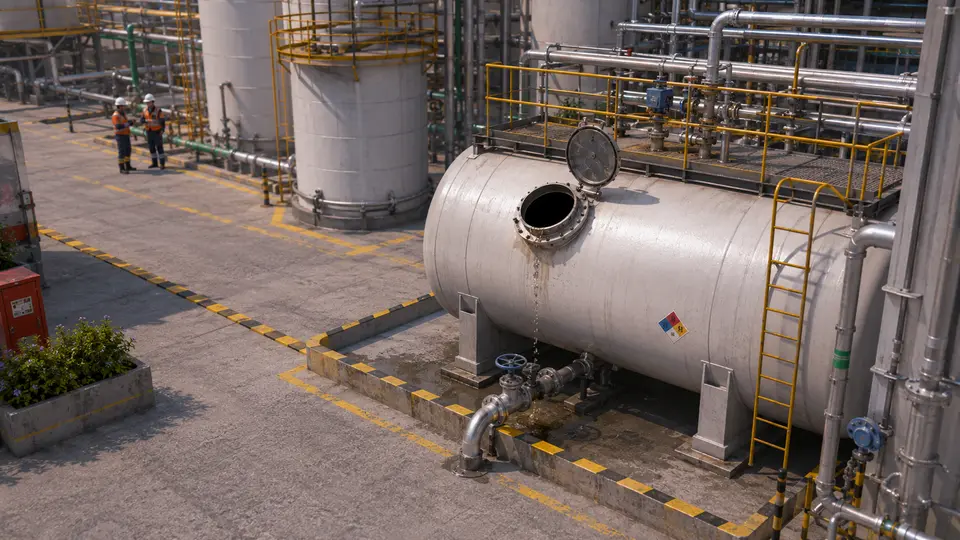
CAM-309The manway has been open for half an hour and nobody is there
«Tell me if a manway or a valve is left open for more than twenty minutes with nobody in front of it.»
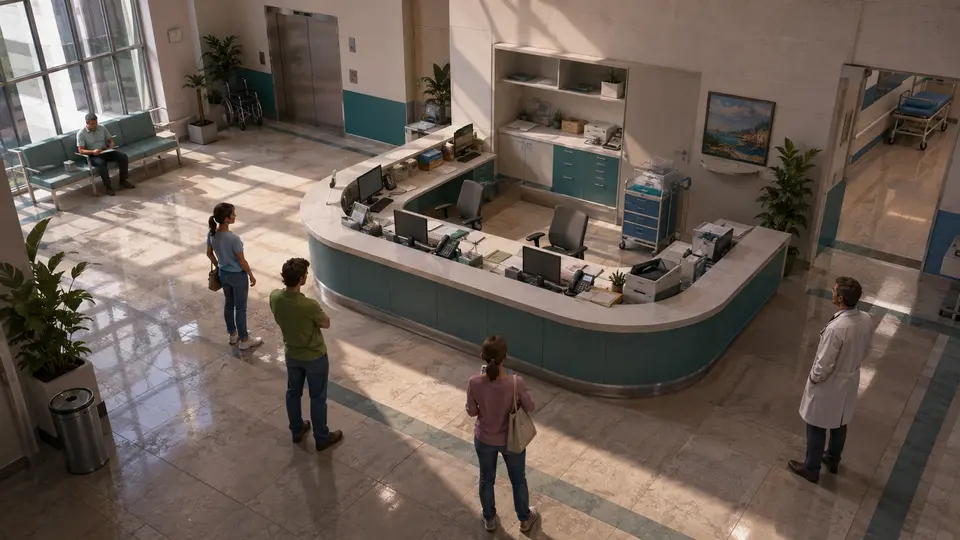
CAM-126Nobody behind the reception desk
«Tell me if the reception desk has nobody behind it for longer than we agreed, and above all if there are people waiting in front of it.»

CAM-497Nineteen people waiting and a single desk open
«Tell me if more than ten people are waiting at reception and fewer than two desks are staffed.»

CAM-324The tank hatch is open and nobody is up there
«Tell me if a tank hatch has been open for more than ten minutes with nobody working up there.»
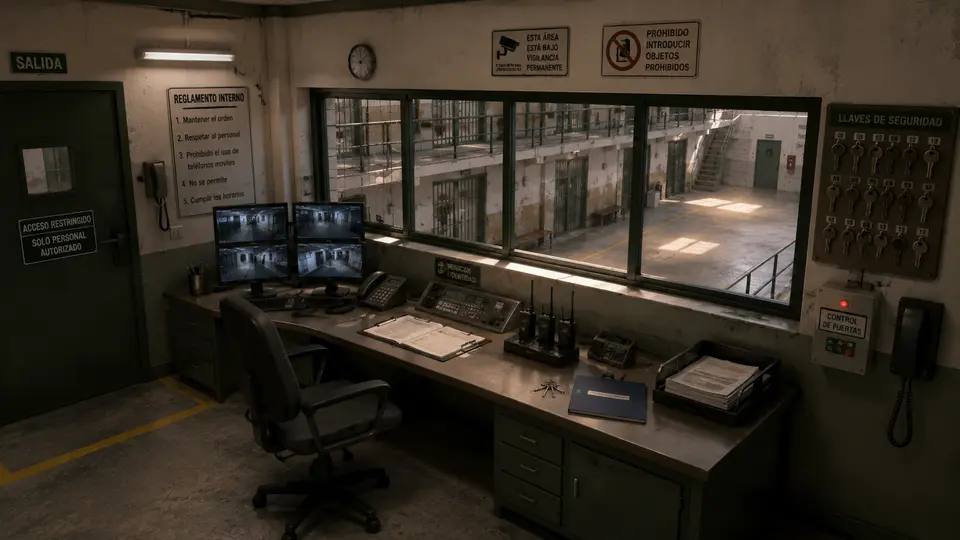
CAM-114The control post with nobody at it
«Tell me if the control post is left with nobody at it for longer than we have set, and tell me which camera and what time.»
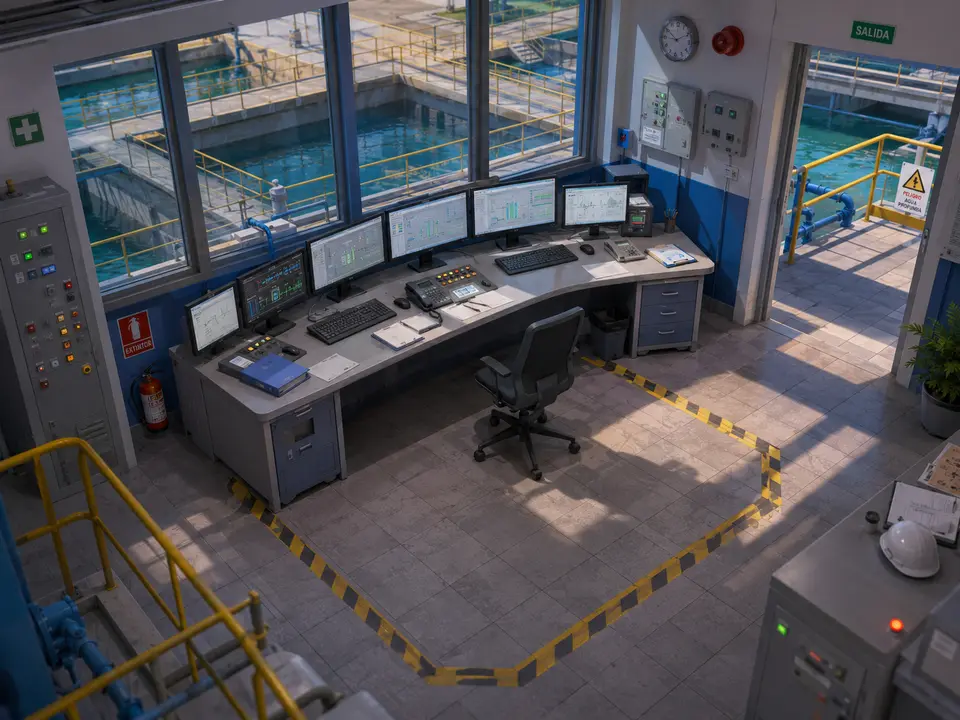
CAM-419The system is still running and there is nobody at the desk
«Tell me if the control room desk is left with nobody for more than fifteen minutes inside the hours it has to be attended.»
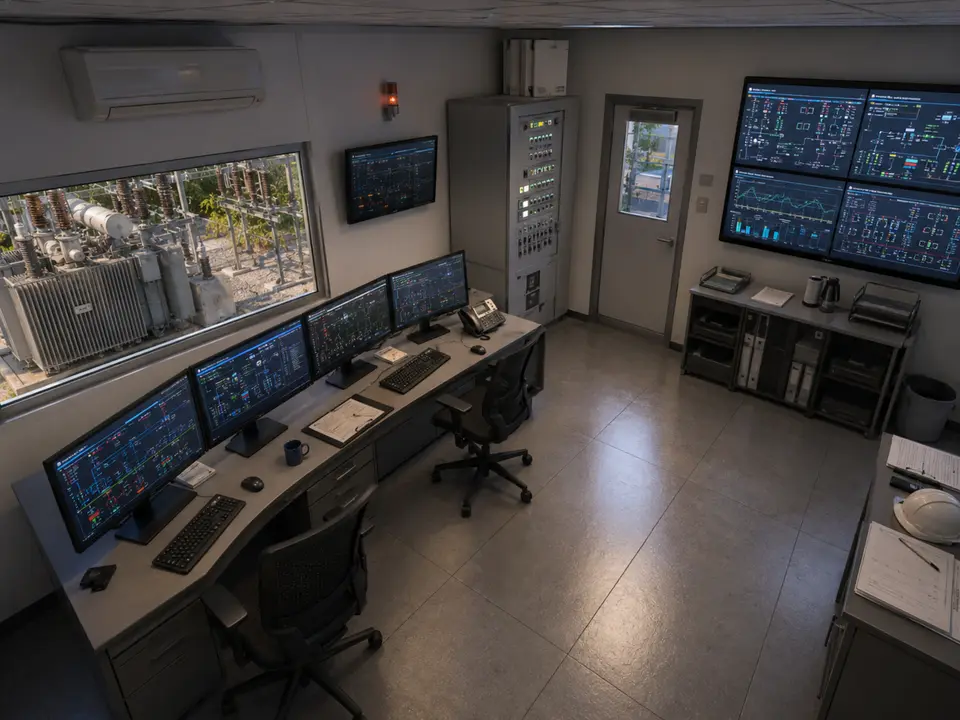
CAM-358The control desk has been unattended for twenty minutes
«Tell me if between ten at night and six in the morning the control room desk is left with nobody for more than fifteen minutes.»


What it does not do
IRIS does not know who is in that chair: it identifies nobody and recognises no faces. It also does not know whether the person went down for some switching, stepped into the toilet or walked out to a real fault. It only says the post has been empty for twenty-six minutes within the hours you set. And if someone works outside the frame, for IRIS they are not there: the area is agreed beforehand.
Questions
- Is this for monitoring employees?
- No. IRIS identifies nobody, recognises no faces and rates no individual. What it looks at is whether a specific position is covered during specific hours, which is an operating condition, not anyone’s score. The alert says “this post has been empty for twenty-six minutes”, not who was meant to be in it. How that gets used afterwards is up to your organisation, and it is worth agreeing it with the people who work there before switching anything on.
- What if the person is working, but out of frame?
- Then, as far as IRIS is concerned, they are not there. That is why the area is drawn beforehand and talked through beforehand: if the real job includes walking to the cabinet at the back or the console next door, that part goes into the area, or the tolerance in minutes goes up. It is a five-minute adjustment made looking at the camera together with the people who work there, and it prevents the silly alert that makes everyone distrust the system in week one.
- Can I show afterwards that the post was covered?
- Yes. You keep a record of the hours that position was staffed and the hours it was not, with the camera and the video of every gap. It is not a signature at the end of the shift written from memory: it is what was seen, when it was seen. It works for an audit, for a claim, or for the awkward conversation the next morning — and it works just as well when the answer is that the post was covered all night.
- Does it work in a control room with no internet connection?
- Yes. IRIS can be deployed entirely on site and run with no internet connection: video, rules and searches stay inside the customer’s own infrastructure. For a substation, a water plant or any site that cannot let images leave the perimeter, that is the normal setup, not the exception. Unplug the cable and the four-in-the-morning alert still goes out.
See it for yourself
No extra alarms here. Just what needs looking at.
Not a recorded video, not an explanatory drawing: a summary of the real screen, with a different case every time it starts. There is a lot more behind it.
- You draw the line
- It counts by itself
- A number comes out
Not seeing yours here?
These words are the ones we have built, not the ones IRIS understands. The list falls short on purpose: you ask for it in a sentence, and sentences do not run out. Tell us what is in front of your cameras and we will tell you whether it understands it, or not yet.
And the best part
You have cameras to spare.What you run out of is eyes to watch them.
One person can follow two or three screens. Nobody can follow forty. IRIS watches them all and speaks up when someone needs to decide.
Tell us your problem and we will say whether IRIS understands it, or not yet.
We reply the same working day.