So what does it actually do?
Everything IRIS does: twelve areas and 4,407 options counted one by one
The rest of this site tells cases: one camera, one problem, what IRIS understands. This page describes the system itself. Twelve areas, 14,740 lines of catalogue and 4,407 options listed one by one, each with its value, its range and its factory default. It is not a brochure with bullet points: it is the list of everything you can touch, written before anyone asked for it. And where something does not exist, we say so.
What IRIS is
IRIS watches the cameras for you.
IRIS Neural is an artificial intelligence that watches the cameras you already have and understands what happens in front of them. When something important happens —or something you told it you need to keep an eye on—, it alerts you; and whatever can be counted, it counts in numbers. All day long, without anyone having to watch a screen.
You tell it what you need to watch, and IRIS does it.
Works with the cameras you already have. Nothing to replace.
A person replies, not a form.
- Your footage never leaves your premises.
- It doesn't identify people.
- Certifications →
Live view and video wall
Layouts, saved views, tours and screen walls: the screen an operator works on for eight hours a day.
More on thisDetection and behaviours
41 behaviours and 94 object classes, counted one by one. The whole list is published: compare it.
More on thisRecording and forensics
Find the exact minute months later, keep it safe from deletion, and hand it over in a file that verifies offline.
More on thisSearch by appearance
Find someone by what they looked like: no face, no plate.
More on thisNumber plates and access
166 plate formats from 72 countries. The plate opens the barrier, and reading is switched on only on the cameras that need it.
More on thisIncidents and control room
Every alert becomes an incident with an owner, a deadline, a procedure and a closing time.
More on thisRules and automations
You draw once what has to happen and it happens every time: 74 blocks, 23 ready-made recipes and a simulator to test it before it goes live.
More on thisChat and artificial intelligence
You ask it in plain words and it does the work: 95 tools over the system, every one of them inside the customer's own installation.
More on thisMaps, floor plans and territory
Your own encrypted world map, no internet needed: cameras, floor plans and fleet on the real ground.
More on thisVideo calls and collaboration
The live camera comes into the call. A meeting tool cannot do that: it is not the video system.
More on thisPlatform, scale and integration
One open port, sites that keep working when the link goes down, and all eight limits published: you size the job instead of taking it on faith.
More on thisAdministration and audit
315 permissions, a log nobody can alter and every kind of data with its own term.
More on this
What runs through the whole product
Three decisions you will not find in a feature list.
For whoever has to install it
What you choose, in one table
The rest of this page says what IRIS does. This says what you decide when you install it: each row is a real choice, with what sits behind each option. It is what you need to size an installation or to write a tender.
| What you decide | Options | What you should know |
|---|---|---|
| Where the video is processed | In your own installation, with no internet · In our data centre | Two, and only two. They can be mixed site by site — the sensitive ones on premise, the rest outside — and you can switch later. |
| What each camera does | Alert: set up by writing a sentence · Counting: set up by drawing a line or an area · Both at once | Asking is for finding; counting is for measuring, and they are not done the same way: a line cannot be described in a sentence, it has to be drawn. That is what makes the number repeatable and auditable. |
| Which cameras work | The ones you already have, from any manufacturer, over standard protocols | You do not have to replace a camera or a recorder to start. The video comes in the way it already goes out today. |
| What you open on the firewall | One public port only, 443 | The other thirteen never leave the machine: thirteen rules the network team does not have to open, justify to an auditor or review every year. The interface, live view, recordings and maps all travel over that same port, encrypted. |
| What happens when IRIS sees something | On-screen alert · email · messaging · a relay for a barrier or a turnstile · a push to an external system | You combine whichever you need, all over the same port. What IRIS does not do is decide: it puts the camera, the time and the video in front of you, and a person decides. |
| One site or many | One · Several, nested as a tree, each with its own local time | A single installation governs servers spread across sites, countries and time zones. The eight-in-the-morning peak is each site’s own, not head office’s. |
| If the link goes down | The site keeps capturing, detecting, recording and triggering locally | An outage does not stop the watch: when the line returns, the site publishes everything it piled up. In the data-centre mode it is different, and we say so plainly: the analysis stops until the line is back. |
| How you get the data out | A programming interface using the same vocabulary as the screens · spreadsheet export · a push to an external system | Every crossing, every dwell and every occupancy is stored as a time series: seven metrics, sixteen ways of grouping and eight time levels, from the minute to the year. Comparing two periods or two sites recalculates nothing. |
| How you size it | A calculator inside the product itself: twelve questions | It says which machines are needed and which resource runs out first. The product’s eight limits are published with their sharing unit: three are solved by adding machines and five are walls. When the sizing crosses a wall, it does not say risky: it says unfeasible. |
| What gets billed | There is no meter: not per query, not per search, not per alert, not per camera opened | The month the system is used most costs the same as the month it is used least. This is not small print: when every query has a price, people stop asking — and a system nobody asks is good for nothing. And it makes no difference what you ask a camera: the licence is per camera, not per question. |
| Who sees which camera | 315 permissions across 66 modules, granted and revoked one by one · Eight ready-made profiles · A window of days, hours and months per person | The eight profiles are administrator, operator, auditor, supervisor, technician, validator, compliance officer and data protection officer. Access is granted to a site, not to everything. Outside their window a person does not get in, and the screen says why. |
| What gets logged | 489 distinct actions · 27 fields for each: who, what, on what, from which address and with which program | Each entry is chained to the previous one with a fingerprint: alter one and the chain breaks visibly. It exports to spreadsheet, to an interchange file or to a report, always with its fingerprint inside. Every playback, skip, snapshot, download and export is recorded. |
| How long things are kept | One period per type, set separately: video, the log, people, vehicles, faces and plates do not last the same | Each type also carries its legal basis written next to it. The system compares the days you configured with the days that actually fit on disk, and if they do not fit it says so beforehand, not once something has already been deleted. And a locked segment is never deleted: not when the period expires, not when the disk fills up. |
| How you search the archive | Fifteen criteria combined in a single query · A sentence in plain language · Point at an object in the image and find where else it appears | You type «red cars between two and six» and the sentence turns into filters, and the panel shows the ones it set and also the ones it ruled out. Every search leaves a record: who ran it, when, over which cameras and with which criteria. |
| What cannot be looked at | Private areas blacked out for everybody, both when watching and when exporting · On delivery it is blurred, pixelated or blacked out, baked into the file | Uncovering an area for a while requires a written reason approved by somebody else: two people, not one. And it is written into the log like any other action. |
| Biometrics | Ships switched off · Not offered in the European Union | The product includes it and we say so rather than hide it: where the law allows it, there are nine legal notices that must be read before it can be switched on. In the European Union it is not switched on, and that is why none of the cameras on this site recognises anybody. |
Every row is developed on its own page: processing under «Processing», the rest across the twelve areas above. Here it is summarised so it can be compared at a glance.
What usually gets bought, and what gets bought here
All in the browser. Nothing installed on any workstation.
The operator opens a browser and gets to work. There is no program to install on each workstation, no add-on to bolt onto the browser, no desktop version to keep updated machine by machine. Even dewarping a 360° lens happens in there.
And everything travels over a single secure port: the interface, the video, the maps, the analytics and the public screens. There is no list of ports to negotiate with whoever runs the firewall.
| What usually gets bought, and what gets bought here | What is usual | IRIS |
|---|---|---|
| How you open it | A program installed on every workstation, and sometimes a browser add-on as well. | The browser. Nothing to install, nothing to update workstation by workstation. |
| What you open in the firewall | A range of ports: one per service, and another every time something is added. | One, secure. Interface, video, maps, analytics and public screens all go through it. |
| How you ask it for something | With the filters it ships with. If what you are after is not in the menu, you do not search for it. | With a sentence written the way you would say it to a colleague. You see it broken down before switching it on. |
| What asking costs | When the clever part is billed by usage, every query has a price on it and people stop querying. | Nothing. There is no meter: one query and a million queries cost the same. |
| If the internet goes down | The part that understands usually lives outside, so you are left without it. | In local mode, nothing. You can unplug the cable and it keeps detecting, alerting, measuring and recording. |
| The maps | They come from an outside map service, which needs internet and sees where your cameras are. | Our own encrypted world cartography, inside the installation. It works without internet and nobody outside sees it. |
| When you need to talk it over | You step out to an outside meeting tool and share your screen, with the video going through it. | The call happens inside the system itself and the live camera joins it. The video does not go anywhere. |
| What is written down before you buy | A brochure with bullet points. What is really there turns up during commissioning. | 4,407 options listed one by one, each with its value, its range and its default. And where something does not exist, we say so. |
| The limits | They are not published. You find them once the installation has already grown. | Eight published ceilings. You size it instead of believing it. |
This table does not point at anyone: what stands opposite is not a named product but what is usual in the category. If you are comparing against a specific one, check it against that one, row by row, before taking it as read. We do the same with our own side: everything on the right is written on this site and can be asked for in writing.
A different case every time
Watch what happens. Then watch what IRIS does with it.
Not a recorded video and not a drawing: it is a summary of the real tool, with a different case each time round. The whole tool does not fit in a box.
- You ask
- IRIS searches
- It shows you
See it somewhere else
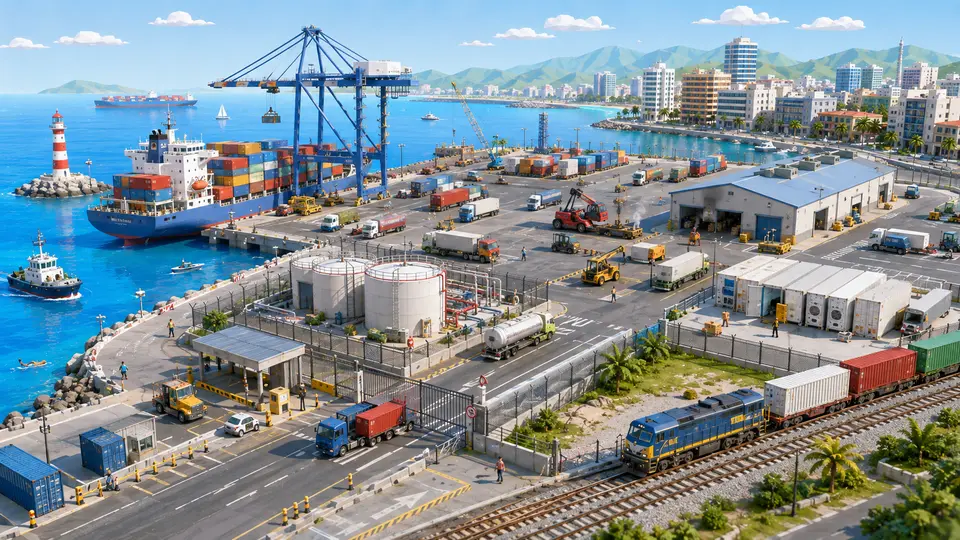
Who is watching a whole quay at three in the morning?
14 cases: 13 raise an alert when something happens and one only measures. You see each image as it is, and then with what IRIS understands on top.

Who is watching the cameras of a whole branch network?
13 cases: 12 raise an alert when something happens and one only measures. You see each image as it is, and then with what IRIS understands on top.


And the best part
What you bought was a warehouse of images.What you needed was someone to look at them.
Those same cameras that only fill disks today can flag what matters while it is happening. The warehouse stays; it just stops being all you have.
Tell us your problem and we will say whether IRIS understands it, or not yet.
We reply the same working day.