How many times should you have to make the same decision?
You draw it once, and it happens every time, also at four in the morning
Today every new rule is a job order: someone codes it to measure, it is billed as integration work, and it breaks the moment the schedule changes or a camera is moved. Here nothing is coded: you drag blocks onto a canvas and join them with cables. You test it against the camera real image before letting it loose, and you publish when the simulator says yes. You decide once. IRIS applies it always.
What IRIS is
IRIS watches the cameras for you.
IRIS Neural is an artificial intelligence that watches the cameras you already have and understands what happens in front of them. When something important happens —or something you told it you need to keep an eye on—, it alerts you; and whatever can be counted, it counts in numbers. All day long, without anyone having to watch a screen.
You tell it what you need to watch, and IRIS does it.
Works with the cameras you already have. Nothing to replace.
A person replies, not a form.
- Your footage never leaves your premises.
- It doesn't identify people.
- Certifications →
At a glance
What it can do
Drawn, not coded
Boxes you drag, cables you join. If two pieces do not fit, the editor rejects the link there and then and names both: you do not find out once the site is live.
23 ready-made recipes
Automations already built: zone intrusion, line counting, occupancy by time band, plate reading, protective equipment, anonymising. Fill in four fields and they work on day one.
Three ways in
A recipe for anyone who wants to learn nothing. Six plain questions for the operator. A free canvas for the integrator. The same automation moves up and down without losing your work.
Schedules that adjust themselves
Time bands, days, months, the last Friday of every month, or anchored to the sun: a rule that starts at dusk works in January and in July with nobody touching it, because dusk moves on its own.
Test it before you publish
The simulator runs the flow against the camera latest real image and answers straight: on Tuesday at 14:32 this would indeed have fired. And it sends not one real alert.
Also says why nothing fired
Eleven possible outcomes, not two. Ran fine, failed, throttled by the cap, outside the schedule, the flow was stopped. A missing alert always has a named cause.
One rule, many cameras
From one camera to the whole site, with written exclusions: every camera on the server except the changing room is a single statement. And each place can carry its own thresholds without duplicating anything.
Warns where people already look
Email, messaging, an alert pushed to another system, a relay that opens a door or lights a beacon, the camera sent to the video wall. All through a single port, 443, and with no data leaving the site.
Recipes to start tomorrow
Zone intrusion, directional line counting, occupancy by time band with a threshold alert, a vehicle parked where it should not be, a person without protective equipment, faces and plates blurred. Each one starts by filling in between two and seven fields.
What starts a flow
A detection from the camera, the clock, a schedule, a person pressing a button, another flow calling it, or an input from outside. The same rule starts six different ways without being rebuilt.
What happens at the end
Open an incident with its severity, alert whoever is on duty, store a measurement, mark the exact minute of the recording, move a camera to its position, send it to the video wall, keep a photo as evidence, export the figure, or call another flow.
Stopped, paused or running
A pause can be set for an hour, four hours, a day, or until any date you name, and it comes back on its own. Flows archive in bulk without deleting anything, and a flow that starts another cannot be deleted: you unhook it first.
How a rule gets built
You decide once. IRIS applies it always.
A rule is a sentence: if a lorry enters the dock outside working hours, tell the shift supervisor, mark the recording and open an incident. Until now that sentence had to be written in code. Here you draw it: one block per part of the sentence, joined with cables. There are 74 blocks and 508 connectors, and every connector knows what it can accept, so joining two things that do not fit is impossible and the editor names both. A block can be muted, bypassed, grouped, or packaged whole for reuse in another flow. And if any value is impossible, it will not let you save: it points at it and says which.
Not everyone wants a canvas, so there are three ways in. The first is the gallery of 23 recipes: zone intrusion, directional line counting, occupancy by time band, plate reading, a person without protective equipment, blurring faces and plates. Pick one, fill in between two and seven fields by drawing on the live video, and it is running on day one, without having built anything. The second is six questions — what, where, when, how much, how and then — with a sentence at the top that writes itself from what you have answered so far. The third is the full canvas, no limits, for whoever builds the site. And here is the point: it is the same automation, and it moves up and down without losing your work. Not every recipe is available on every server; when one is not, the gallery says why.
Schedules are where you can tell whether the people who built this have ever stood on a site. You declare one once, with its name and colour, and reuse it across every camera and every flow. It takes time bands, weekdays, months, days of the month, and the first or last Monday of each month, which is exactly how maintenance days get written down. And it takes solar anchors: a rule that starts thirty minutes before dusk and ends at dawn works in January and in July with nobody touching it again. The same night schedule placed on cameras in three countries opens and closes at each local time, with no duplicate templates. Exception dates cover public holidays, shutdowns and plant stoppages. And there is a safety rule worth saying out loud: if the schedule cannot be evaluated, nothing fires. Never just in case.
Anyone who automates something fears the same thing: that it fires by itself at three in the morning and wakes up half the staff. That is why you test first. The simulator runs the flow against the camera latest real event and answers straight — on Tuesday at 14:32 this would indeed have fired, and these are the actions that would have run — but it sends nothing. The editor also puts an eye on every cable: click it and you see what really comes out there, with the image and the table of what passes the filter and what does not. Then you can publish in muted mode, the flow running and computing but executing no action at all, so you validate without bothering anybody; or pause it for an hour, four hours, a day, or until any date you name. On publishing, the confirmation tells you how many cameras it will switch on for, and which. And if a flow fails several times in a row, it switches itself off and leaves the reason in writing.
Everything that runs gets written down, and not only when it fails. Each run stores when it was triggered, when it started, when it finished, how long it waited in the queue, which camera it ran on, whether the condition held, how many actions ran and, when something broke, at which precise stage: the camera, the model, the condition or the action. That is the difference from a system that only says fine or failed: there are eleven possible outcomes, and five of them are different ways of having done nothing — the schedule was closed, another run was already going, the flow was stopped, the anti-bounce discarded it, or a pre-check failed — plus a sixth for when the per-minute cap throttled it. The activity panel shows the last twenty-four hours with the skip rate and the list of flows that are losing triggers, which is exactly the fault nobody sees. And when the history grows and has to be cleaned, the purge forces a preview: it states how many runs, how many incidents and how many measurements will go and how much space will be freed, and if what is there at that moment does not match what it showed, it refuses to delete.
A published automation is part of how the site runs, so it is governed as such. Read and write permissions are separate: someone without write access opens the editor read-only, sees the whole flow and can change nothing. An administrator also decides which blocks each role may use, and there is a detail here that pays off on a large site: a blocked block still shows in grey, so people know it exists and can ask for it, and the automations already published that use it do not break. Every published version is kept, renamed, restored as a draft and compared with another: the comparator shows on the drawing itself what was added, what was removed and what was changed, cables included. And there are no configuration files anyone has to edit by logging into the server: everything changes from the browser, live.
The figures
Counted, not estimated
- 74blocks you drag onto the canvas
- 23recipes ready to use on day one
- 535parameters to tune down to the last detail
- 11possible outcomes of a run, including why nothing fired
- 508connectors that stop you joining two things that do not fit
- 20different detection rules, from intrusion to loitering
Questions
Do you need to know how to code to build an automation?
No. You drag blocks onto a canvas and join them with cables, the way you would sketch a diagram on a whiteboard. If two pieces do not fit, the editor rejects the link there and then and names both, so the mistake does not surface once the site is live. And if you do not even want to draw, there are 23 ready-made recipes: pick one, fill in four fields over the camera live image, and it works on day one. For the control room operator there is also a mode with six plain-language questions and no canvas at all.
What if the rule fires by itself in the middle of the night?
That is the real fear of anyone who automates something, which is why there are four brakes before you ever get there. Before publishing, the simulator runs the flow against the camera latest real image and tells you whether it would have fired and what it would have done, without sending a single alert. Once published, you can leave it muted: the flow runs and computes but executes no action, so you can validate it for days without bothering anyone. If something looks wrong, pause it for an hour, four hours, a day, or until any date you choose, and it comes back by itself. And a flow that fails several times in a row switches itself off and leaves the reason in writing.
Does the same rule work across many cameras at once?
Yes. An automation is defined once and applied to one camera, a group, a whole server, or the entire site. Exclusions are written with their reason: every camera on the server except the changing room and the server room is a single statement, not a list somebody has to maintain. Each place can carry its own thresholds and its own schedule without duplicating the flow. And one camera takes several configurations at the same time: one in production counting for real, another in validation with the new thresholds, and a third in design while it is being drawn, without touching the one that is running.
What if a flow fails halfway? Does it leave things half done?
It fails where it fails, and exactly where is written down. Besides its normal outputs, every block has a failure output, so the error is routed somewhere useful — alert maintenance, log it, retry — instead of being lost on the way. The history records the stage where it broke, whether that was the camera, the model, the condition or the action, along with the attempt number, so the fault is located without opening a single video. Two principles are worth stating plainly. If an alert cannot be sent because the channel is off or misconfigured, it is not lost in silence: it is recorded as deferred, with the reason. And if a value cannot be read, none is invented: it says why it is missing, and it never shows a zero as if it were a measurement. What we do not promise is undoing what already happened: if the incident was created before the failure, the incident exists. What we do promise is that you know how far it got and why it stopped there.
Who can touch an automation that is already running?
Only whoever holds write permission. Reading and writing are separate rights, so an operator can open the flow, understand all of it, and change nothing. Above that, an administrator decides which blocks each role may use: a blocked block still shows in grey, so people know it exists and can ask for it, and the automations already published that use it keep running, because blocking breaks nothing. Who blocked what and when is recorded, and it is lifted in one click. Every change leaves a trail too: each published version is kept, renamed and restored as a draft, and the comparator shows on the drawing what was added, removed and changed between two publications. Nor can you delete an automation that starts another one down the chain: you unhook it first.
The real interface, step by step
You set the rule once. IRIS applies it every time.
You will see a summary of the interface, played step by step and hands-free. Each round starts with another case. The complete tool does not fit in a demo.
- The rule gets built
- It goes to every camera
- Published, it watches alone
- And then it fires
See it somewhere else

What does a shopping centre see beyond the visitor count?
12 cases: 4 raise an alert when something happens and 8 only measure. You see each image as it is, and then with what IRIS understands on top.
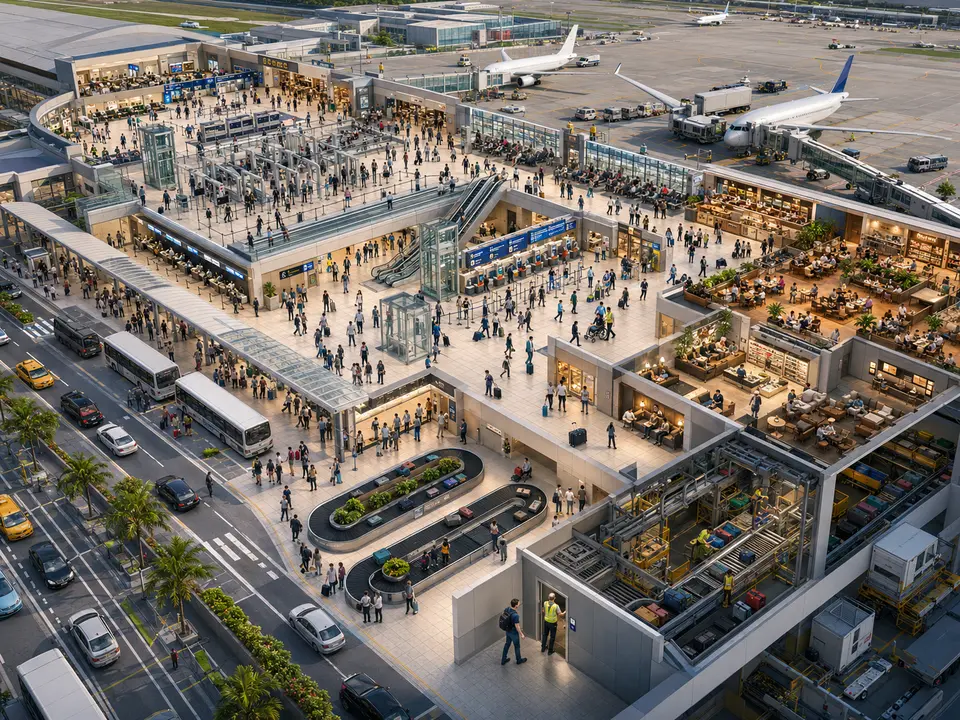
What does an airport see before the queue forms?
14 cases: 7 raise an alert when something happens and 7 only measure. You see each image as it is, and then with what IRIS understands on top.


And the best part
Behind one camera you can put a person.Behind four thousand you cannot put anyone.
Adding a camera costs little; adding another pair of eyes does not. So the cameras keep growing and the attention does not. IRIS watches all four thousand at once and flags what matters today.
Tell us your problem and we will say whether IRIS understands it, or not yet.
We reply the same working day.