CAM-244
A copper coil mounted on a steel line
Morning shift on the slitting line. Mounted on the uncoiler there is a coil the colour of copper. Every other coil in the yard, stacked at the back on wooden blocks, is grey and shiny: they are steel. The line is already threaded and ready to run. An operator works at the control desk with his back to us and three colleagues in helmets watch from the aisle; one is pointing at the coil. IRIS sees that the mounted material does not look like the rest.

Turn on IRIS Vision
AI-generated image
What IRIS is
IRIS watches the plant for you.
IRIS looks at the cameras you already have on the plant floor and understands what it sees: a stopped line, someone inside a robotic cell, someone without their safety gear on, jammed parts. When something like that happens, it alerts right away; and whatever can be counted, it counts in numbers. All day long, with no one needing to watch the screen.
You tell it what you need to watch, and IRIS does it.
Here, for example, IRIS notices the coil on the machine doesn't have the colour or shine of the usual steel. As soon as the line is ready to start, it sends an alert with a photo and the exact time. With that alert you decide whether to check it before the first sheet gets cut.
Works with the cameras you already have. Nothing to replace.
A person replies, not a form.
- Your footage never leaves your premises.
- It doesn't identify people.
- Certifications →
What IRIS understands
What it recognises in this scene
- copper-coloured coil on the uncoiler
- grey coils in the yard
- slitting line threaded and ready
- operator at the line control desk
- three operators looking at the coil
What this camera measures
An alert says something is happening. The reading says how much.
- 5Coils visible in shot
- 1Coils that look different from the rest
- 3 minTime mounted on the uncoiler
- 4People in shot
- 08:15Time of the alert
The figures on this screen are an example from the illustration, not any client's measurement.
The rule
You decide once. IRIS applies it always.
If
the material mounted on the uncoiler does not match the look of the one the active order calls for
Then
- alert the line supervisor before the machine starts up
- save the photo of the mounted coil with the time and the camera number
- ask someone to confirm the reference against the material certificate
The instruction that set it up«Tell me if the coil mounted on the uncoiler does not look like the material on the active order.»
What changes
What changes for whoever answers for the plant
Starting up on the wrong material costs the whole coil, the scrap it turns into and the delay on the order. The mistake shows up at the end, when the sheet is already cut and the customer is waiting. With the camera the alert goes out before start-up: something is mounted that does not look like the material on the order. A person checks it in a minute, with the picture and the time in front of them.
What people usually ask
Does IRIS know what metal the coil is?
No. IRIS tells things apart by how they look: colour, shine and shape. It sees a copper-coloured coil where every other one is grey, and that is enough to raise a hand before start-up. The real composition is stated by the mill certificate or the material analysis, not by the camera. IRIS flags a visible difference; the confirmation comes from the lab.
And what if the right material looks like the wrong one?
Then the camera will not see it, and that has to be said. Two steels of the same colour and the same finish are identical to a picture. This alert works when the difference is visible: another colour, another width, another format. Where the difference cannot be seen, you need the label, the certificate or the analysis, and IRIS does not replace them.
Who decides which material each order takes?
The plant does. IRIS does not write the rules: it is told what material each order expects and it compares what it sees against that. Nor does it act: it does not block the machine or cancel an order. It alerts, with the picture and the time, so that a person can stop, look at the certificate and decide. What counts as an alert and what does not is always written by the plant.
Other cameras
- CAM-240 · The line has stopped with a pallet jammed inside
- CAM-241 · The line is running, but a gap opens every few seconds
- CAM-242 · A mountain of parts has built up in front of one machine
- CAM-243 · The cell is ready and the bin is empty
- CAM-245 · A unit moves down the line with no cover on
- CAM-246 · The box takes the bypass and skips inspection
Demo · IRIS at work
This isn’t a video. It’s a slice of the real screen.
A summary of the real interface, played hands-free. You see one case from start to finish; what you do not see are the other screens, and there are many.
- The hour, as a grid
- You look where it's dark
- You jump to that minute
See it somewhere else
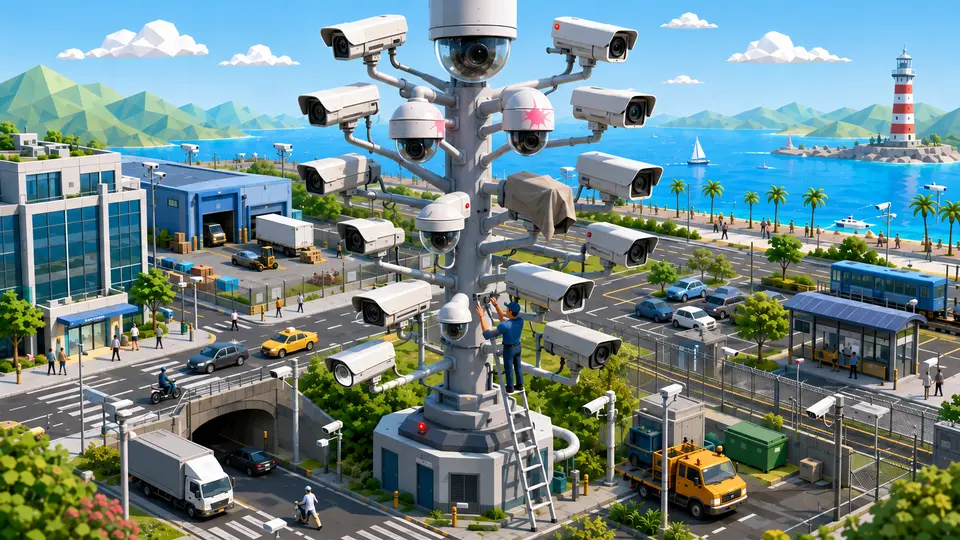
And who watches the cameras?
34 cases, and in every one of them IRIS raises an alert when something happens. You see each image as it is, and then with what it understands on top.

Who watches the cameras of a whole city?
23 cases: 18 raise an alert when something happens and 5 only measure. You see each image as it is, and then with what IRIS understands on top.


And the best part
IRIS only sees what the camera shows.Where we do not reach, we say so.
No software fixes a lens pointing the wrong way or covered in dust. Before promising anything, we say which cameras are in a state to see what you are asking of them.
Tell us your problem and we will say whether IRIS understands it, or not yet.
We reply the same working day.